
What happens when a customer places an order, but your business runs out of stock because inventory records were not updated on time? Poor inventory management can lead to missed sales, excess stock, delayed deliveries, and unnecessary operational costs. This is where inventory management tool becomes essential.
It helps businesses track stock levels, manage purchase orders, monitor product movements, and maintain accurate inventory records from a centralized platform. Modern inventory management solutions also offer real-time stock updates, barcode scanning, automated replenishment, demand forecasting, and multi-warehouse management.
Whether you operate a small retail store, an eCommerce business, a manufacturing company, or a large distribution network, the right software can simplify daily operations and improve inventory accuracy. In this guide, we explore the best inventory management software solutions in 2026, comparing their key features, advantages, limitations, and ideal use cases to help you find the right solution for your business.
Why Is Inventory Management Software Important for Businesses?
Managing inventory becomes increasingly challenging as a business expands its product range, customer base, and sales channels. Relying on spreadsheets or manual stock records can create errors, delay order processing, and make it difficult to understand actual product availability. Inventory management software helps businesses overcome these challenges by bringing stock-related activities into one centralized system.
Here are some important ways inventory management platform helps businesses improve their operations:
- Improves Inventory Accuracy: It automatically updates stock records whenever products are purchased, sold, returned, or transferred, helping businesses maintain accurate inventory information.
- Prevents Overstocking and Stockouts: Automated stock alerts and replenishment features help businesses maintain appropriate inventory levels and avoid unnecessary purchasing or missed sales.
- Streamlines Order Management: Businesses can manage purchase orders, sales orders, and fulfillment activities from one platform, reducing manual work and processing delays.
- Provides Real-Time Stock Visibility: Real-time dashboards allow teams to monitor product availability across multiple warehouses, stores, and distribution centers.
- Reduces Operational Costs: Better inventory planning helps minimize storage expenses, product wastage, excess purchasing, and other avoidable inventory-related costs.
- Supports Better Business Decisions: Inventory reports and analytics provide insights into sales trends, stock movement, product demand, and inventory valuation, helping businesses make informed decisions.
Features to Look for in Inventory Management Software
The right features depend on your business size, industry, and inventory requirements. However, some core capabilities are important for almost every organization. Here are the key features to consider when evaluating inventory management solutions:
- Real-Time Inventory Tracking: Look for software that automatically updates stock quantities whenever products are purchased, sold, returned, or transferred. This helps teams access accurate inventory information and avoid discrepancies.
- Multi-Location Management: If your business operates multiple warehouses, retail stores, or distribution centers, choose a platform that tracks inventory across all locations through a centralized dashboard.
- Barcode Scanning: Barcode scanning simplifies product identification, stock receiving, picking, and shipping. It also reduces manual data entry and improves inventory accuracy.
- Purchase Order Management: This feature helps businesses create purchase orders, monitor supplier deliveries, track pending purchases, and maintain sufficient stock levels.
- Inventory Forecasting: Demand forecasting analyzes historical sales and inventory trends to estimate future product requirements, helping businesses avoid overstocking and stock shortages.
- Reporting and Analytics: Detailed reports provide insights into inventory valuation, stock movement, sales performance, product demand, and purchasing patterns.
- Third-Party Integrations: Inventory software should connect with eCommerce platforms, accounting applications, ERP systems, POS solutions, and shipping providers to synchronize business information.
- Automated Stock Alerts: Low-stock notifications and automatic replenishment rules help businesses identify products that need restocking before they run out.
How Does Inventory Management Software Work?
Inventory management software works by recording, tracking, and updating product information as inventory moves through different stages of the supply chain. From purchasing raw materials to storing finished products and fulfilling customer orders, the software helps businesses maintain accurate stock records and coordinate inventory-related activities. Most modern inventory management systems use automation, barcode technology, cloud databases, and integrations to simplify these processes. Let’s understand how the system works step by step.
- Product and Inventory Data Entry: The process begins by adding product information to the software. Businesses enter details such as product names, SKUs, descriptions, quantities, suppliers, purchase prices, and storage locations. This creates a centralized product database that employees can access whenever they need inventory information.
- Stock Receiving and Updating: When new products arrive from suppliers, employees record the received quantities in the system. Barcode scanners or manual entries can be used to update stock records. The software then adjusts available inventory and maintains information about incoming products.
- Inventory Tracking and Monitoring: Once products are stored, the software continuously monitors stock movements across warehouses, retail stores, and other locations. Employees can check available quantities, identify low-stock products, and track inventory transfers without maintaining separate spreadsheets.
- Order Processing and Fulfillment: When a customer places an order, the system records the transaction and updates the available stock accordingly. Depending on the platform, it can also generate picking lists, packing slips, shipping labels, and order notifications to support faster fulfillment.
- Automated Reordering and Replenishment: Inventory software can monitor minimum stock levels and notify purchasing teams when products need replenishment. Some advanced platforms can also generate purchase order suggestions based on historical sales, demand forecasts, and supplier lead times.
- Reporting and Performance Analysis: Finally, the software collects inventory data and converts it into useful reports and dashboards. Businesses can analyze stock movement, inventory valuation, product demand, purchasing trends, and warehouse performance to make better operational decisions.
List of 10 Best Inventory Management Software
1. GOIS (Goods Order Inventory System)

Website: https://www.goodsorderinventory.com/
GOIS (Goods Order Inventory System) is a cloud-based inventory management software designed to help businesses manage stock, orders, and warehouse operations from a centralized platform. It provides real-time visibility into inventory across multiple warehouses, retail stores, and sales channels. Businesses can use GOIS to manage purchase orders, sales orders, stock transfers, and inventory replenishment while reducing manual data entry.
Its barcode scanning, batch tracking, and serial number management capabilities help improve inventory accuracy and streamline daily warehouse activities. GOIS also offers reporting dashboards that help teams monitor stock levels, inventory valuation, and product movement. With integrations for eCommerce platforms, accounting applications, and shipping carriers, GOIS is a suitable option for businesses looking to simplify inventory operations and improve supply chain efficiency.
Key Features:
- Multi-location inventory tracking across warehouses and retail stores.
- Purchase and sales order management with automated workflows.
- Barcode scanning for faster receiving, picking, and shipping.
- Batch, lot, and serial number tracking with expiration management.
- Real-time inventory reporting, dashboards, and stock forecasting.
Pros:
- Provides centralized inventory visibility across multiple locations.
- Offers a user-friendly cloud-based interface.
- Supports barcode scanning and inventory automation.
- Integrates with popular eCommerce and accounting platforms.
Cons:
- Less widely recognized than established inventory software brands.
- Advanced features may require higher-tier subscriptions.
- User limits vary across pricing plans.
- May not cover every specialized manufacturing requirement.
Best For:
Small and medium-sized businesses, multi-channel retailers, wholesalers, and distributors that need centralized inventory and warehouse management.
Pricing:
- Essentials: $199/month (2 users).
- Growth: $399/month (5 users).
- Scale: $699/month (10 users).
- Advanced: Custom pricing.
2. Cin7
Website: https://www.cin7.com/
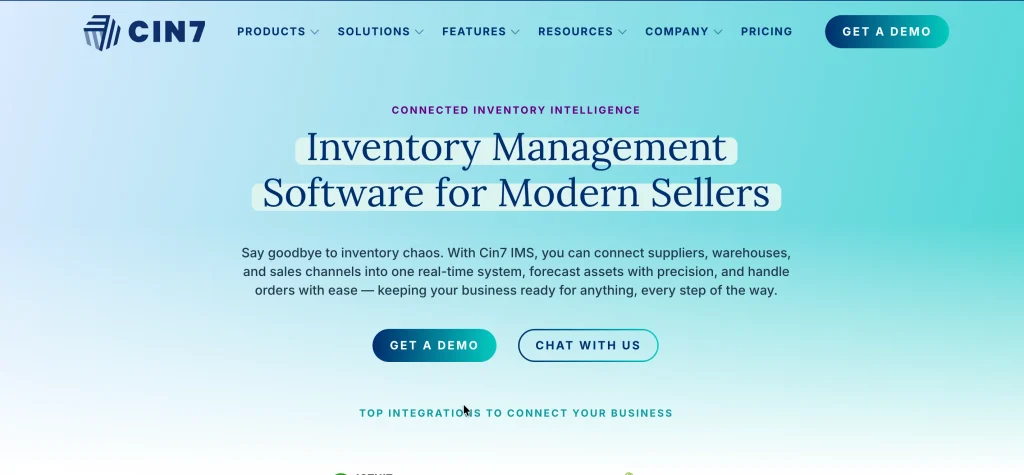
Cin7 is a cloud-based inventory management software that helps retailers, wholesalers, and manufacturers manage inventory across multiple sales channels. It combines inventory tracking, order management, warehouse operations, and purchasing tools within a centralized platform. Businesses can monitor stock levels across online stores, marketplaces, and physical retail locations while reducing the risk of overselling.
Cin7 also supports barcode scanning, automated purchase orders, and sales order processing to improve inventory control. Its manufacturing capabilities include bill of materials (BOM) and production management, making it useful for businesses involved in product assembly and manufacturing. The platform integrates with popular eCommerce, accounting, and shipping applications, helping organizations connect their business operations. With its Core and Omni offerings, Cin7 supports businesses looking to improve inventory accuracy and manage increasingly complex sales and fulfillment workflows.
Key Features:
- Real-time inventory synchronization across multiple sales channels.
- Automated purchase order and sales order management.
- Barcode scanning and stocktaking functionality.
- Manufacturing management with bill of materials and production planning.
- Integrations with eCommerce, accounting, POS, and shipping platforms.
Pros:
- Supports multichannel inventory management.
- Offers extensive third-party integrations.
- Includes manufacturing and production management capabilities.
- Helps automate order processing and fulfillment.
Cons:
- Pricing can be expensive for smaller businesses.
- Initial implementation may require additional time.
- Advanced features can have a learning curve.
- Some businesses may find the platform unnecessarily complex.
Best For:
Growing retailers, wholesalers, eCommerce businesses, and small to medium-sized manufacturers managing inventory across multiple channels.
Pricing:
- Standard: $349/month (5 users).
- Pro: $599/month (10 users).
- Advanced: $1,199/month (15 users).
- Custom: Available for businesses with specific operational requirements.
3. Brightpearl

Website: https://www.brightpearl.com/
Brightpearl is a retail operations management platform designed for businesses handling high order volumes across multiple sales channels. It combines inventory management, order processing, warehouse operations, accounting, and fulfillment automation within one system. The software helps retailers maintain visibility into stock levels across warehouses, online marketplaces, and physical stores. Its automation engine allows businesses to create workflows for order routing, shipping, returns, and inventory updates, reducing repetitive administrative tasks.
Brightpearl also offers inventory planning and demand forecasting capabilities that help businesses make informed purchasing decisions and maintain appropriate stock levels. Its integrated financial management tools provide visibility into business transactions and operational performance. With integrations for major eCommerce platforms, marketplaces, and shipping providers, Brightpearl is particularly useful for retailers looking to centralize and automate complex retail operations.
Key Features:
- Centralized inventory tracking across multiple warehouses and sales channels.
- Automated order processing, routing, and fulfillment workflows.
- Demand forecasting and inventory replenishment planning.
- Integrated accounting and financial management tools.
- Warehouse management with picking, packing, returns, and shipping support.
Pros:
- Provides comprehensive retail operations management.
- Automates repetitive order and fulfillment activities.
- Includes integrated accounting functionality.
- Supports high-volume omnichannel retail operations.
Cons:
- Pricing may be expensive for smaller businesses.
- Implementation can require professional assistance.
- The platform has a learning curve for new users.
- May offer more functionality than smaller retailers require.
Best For:
Medium-sized and large eCommerce retailers, wholesalers, and omnichannel businesses managing high order volumes.
Pricing:
Custom pricing
4. Zoho Inventory
Website: https://www.zoho.com/in/inventory/
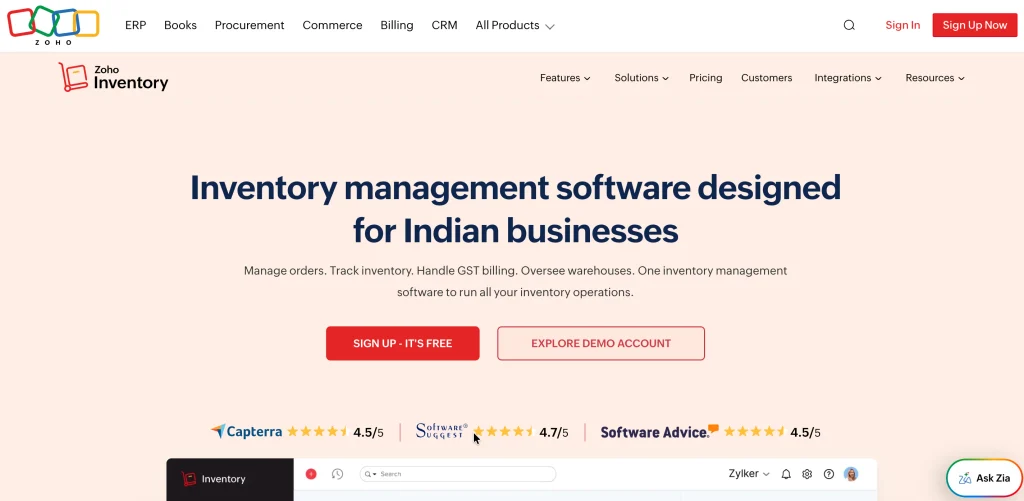
Zoho Inventory is a cloud-based inventory and order management software designed to help small and medium-sized businesses manage products, sales, purchases, and stock movements. It provides a centralized dashboard where users can monitor inventory levels across multiple warehouses and sales channels. Businesses can create purchase orders, manage sales orders, generate invoices, and track shipments without relying on separate spreadsheets. The platform also supports barcode scanning, batch tracking, and serial number management to improve inventory accuracy.
Zoho Inventory integrates with popular eCommerce platforms and marketplaces, allowing businesses to synchronize orders and stock information across different selling channels. Its connection with Zoho Books and other Zoho applications makes it particularly useful for companies already using the Zoho ecosystem. With affordable subscription options and a free plan, it offers an accessible solution for businesses looking to organize their inventory operations.
Key Features:
- Multi-warehouse inventory tracking and stock management.
- Sales and purchase order creation and management.
- Barcode scanning and item tracking capabilities.
- Shipment tracking and shipping label generation.
- Integration with Zoho Books, Shopify, Amazon, and other applications.
Pros:
- Offers a free plan for eligible small businesses.
- Easy-to-use interface with simple navigation.
- Integrates seamlessly with other Zoho applications.
- Supports multichannel inventory and order management.
Cons:
- Free plans have usage and feature limitations.
- Advanced inventory features require paid subscriptions.
- May not meet complex enterprise warehouse requirements.
- Some customization options are limited compared with larger ERP systems.
Best For:
Startups, small businesses, online sellers, and companies already using Zoho applications.
Pricing:
- Standard: ₹1,199/month (3 users, 500 orders/month).
- Premium: ₹2,699/month (5 users, 3,000 orders/month).
- Plus: ₹5,999/month (10 users, 7,500 orders/month).
- Enterprise: ₹8,999/month.
5. Fishbowl Inventory
Website: https://www.fishbowlinventory.com/
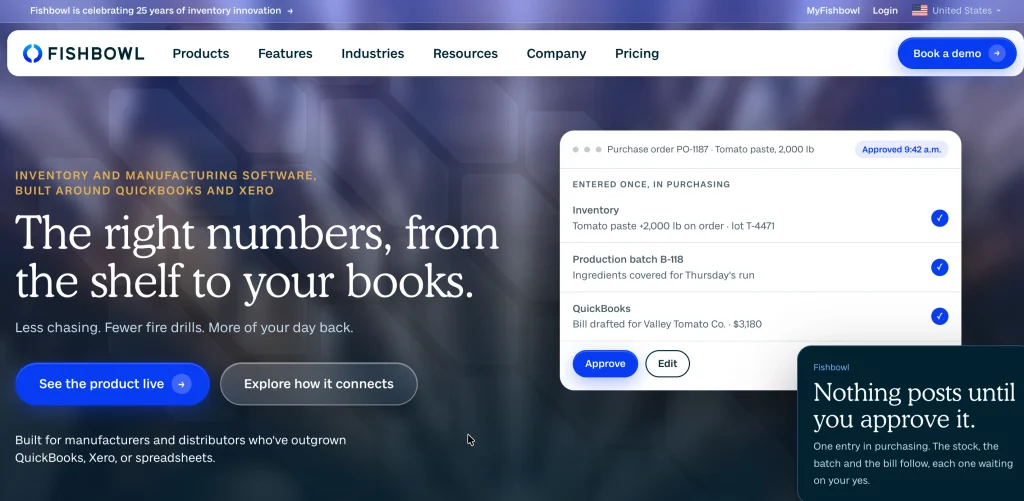
Fishbowl Inventory is an inventory management software and manufacturing solution designed for businesses that need greater control over warehouse operations, purchasing, and production processes. It helps manufacturers and distributors track inventory across multiple warehouses, storage locations, and product categories. The platform supports real-time stock monitoring, barcode scanning, purchase order management, and sales order fulfillment. Its manufacturing capabilities include bill of materials, work orders, and material requirements planning (MRP), allowing businesses to manage production activities alongside inventory.
Fishbowl is particularly recognized for its integration with QuickBooks, helping companies synchronize inventory and accounting information. It also supports lot and serial number tracking, automated reorder points, and warehouse management workflows. By combining inventory control with manufacturing functionality, Fishbowl helps businesses reduce manual processes, improve stock accuracy, and manage their supply chain operations more efficiently.
Key Features:
- Real-time inventory tracking across multiple warehouses and locations.
- Manufacturing management with BOM, work orders, and MRP.
- Barcode scanning for receiving, picking, and shipping.
- Automated purchasing and inventory reorder management.
- QuickBooks integration for accounting and financial synchronization.
Pros:
- Provides comprehensive manufacturing inventory capabilities.
- Offers strong integration with QuickBooks.
- Supports batch, lot, and serial number tracking.
- Helps automate warehouse and purchasing workflows.
Cons:
- Pricing can increase with additional users and warehouses.
- Implementation and employee training may take time.
- The interface may feel less modern than newer platforms.
- Some advanced features require additional configuration.
Best For:
Small and medium-sized manufacturers, wholesalers, distributors, and businesses using QuickBooks for accounting.
Pricing:
- Essentials: $229/month (2 users), billed annually.
- Growth: $429/month (5 users), billed annually.
- Scale: $729/month (10 users), billed annually
6. Linnworks
Website: https://www.linnworks.com/
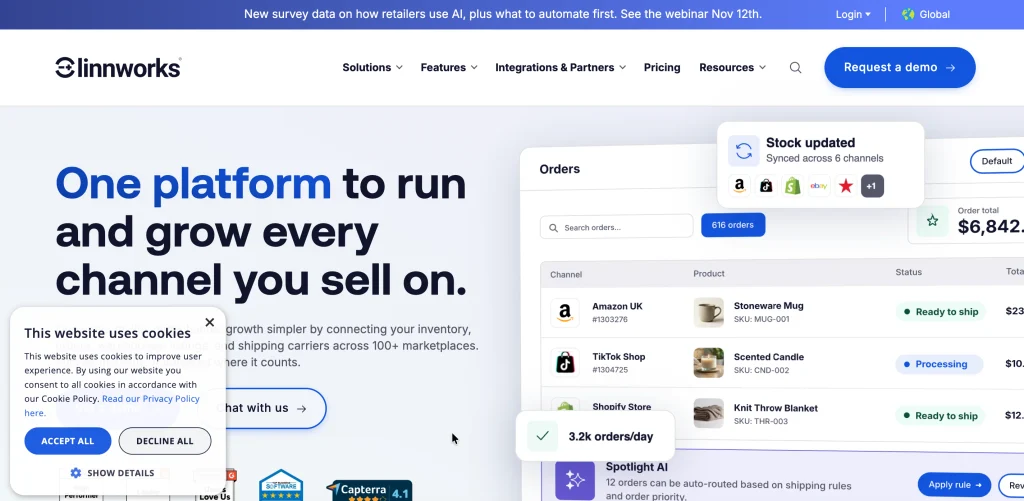
Linnworks is a cloud-based inventory and order management platform designed for eCommerce businesses selling across multiple online marketplaces and sales channels. It helps retailers centralize inventory information, synchronize stock levels, and manage orders from a single dashboard. The platform connects with marketplaces and online stores, allowing businesses to maintain consistent inventory records and reduce overselling.
Linnworks also provides order automation tools that help teams manage order routing, shipping, returns, and fulfillment processes. Its warehouse management capabilities support picking, packing, and stock movement across multiple facilities. Businesses can also use its reporting and analytics features to understand sales performance and inventory requirements. With integrations for eCommerce marketplaces, accounting systems, and shipping carriers, Linnworks helps online retailers streamline their operations and manage growing order volumes without relying on disconnected business applications.
Key Features:
- Multichannel inventory synchronization across eCommerce platforms.
- Automated order routing and fulfillment workflows.
- Warehouse management with picking, packing, and shipping.
- Inventory reporting, analytics, and demand forecasting.
- Integrations with marketplaces, accounting software, and shipping carriers.
Pros:
- Supports a wide range of online sales channels.
- Helps prevent overselling through inventory synchronization.
- Provides flexible order automation workflows.
- Offers extensive marketplace and shipping integrations.
Cons:
- Pricing is generally customized rather than publicly listed.
- Initial setup can be complicated.
- The interface may require training for beginners.
- May be expensive for smaller online sellers.
Best For:
Multichannel eCommerce retailers, online brands, and businesses selling through multiple marketplaces.
Pricing:
Custom pricing
7. Unleashed

Website: https://www.unleashedsoftware.com/
Unleashed is a cloud-based inventory management software designed for manufacturers, wholesalers, and distributors that need detailed stock control and purchasing management. It provides real-time visibility into inventory levels, product movements, and warehouse operations through a centralized platform.
Businesses can use Unleashed to manage purchase orders, sales orders, supplier information, and stock transfers while maintaining accurate inventory records. Its manufacturing functionality includes bill of materials and production management, allowing companies to monitor raw materials and finished goods.
The platform also supports batch and serial number tracking, helping businesses maintain product traceability throughout the supply chain. Unleashed offers inventory costing and reporting tools that provide insights into stock valuation and business performance. With integrations for accounting and eCommerce applications, it helps organizations connect inventory operations with their wider business processes.
Key Features:
- Real-time inventory tracking across multiple warehouses.
- Batch, lot, and serial number tracking for product traceability.
- Manufacturing management with bill of materials and production orders.
- Purchase order management and supplier tracking.
- Inventory costing, valuation, and performance reporting.
Pros:
- Provides detailed inventory and costing capabilities.
- Suitable for manufacturing and wholesale operations.
- Supports product traceability through batch and serial tracking.
- Integrates with popular accounting applications.
Cons:
- May require training during initial implementation.
- Pricing can increase with additional functionality.
- Limited suitability for businesses requiring advanced retail POS.
- Advanced forecasting capabilities may be limited compared with enterprise platforms.
Best For:
Small and medium-sized manufacturers, wholesalers, distributors, and businesses requiring detailed inventory costing.
Pricing:
- Core: $399/month, excluding applicable taxes.
- Pro: $729/month, excluding applicable taxes.
- Free Trial: 14 days available on Core and Pro plans.
8. Ordoro

Website: https://www.ordoro.com/
Ordoro is an eCommerce operations and inventory management platform designed to simplify order fulfillment, shipping, and stock management for online businesses. It brings orders from multiple sales channels into one centralized dashboard, helping retailers manage their daily operations more efficiently.
Businesses can use Ordoro to synchronize inventory levels, create purchase orders, manage suppliers, and track product availability across different locations. Its shipping functionality allows users to generate shipping labels, compare carrier options, and monitor delivery progress. The platform also supports dropshipping and product bundling, making it useful for businesses with different fulfillment models.
Ordoro integrates with major eCommerce platforms and marketplaces, helping retailers connect their online stores with inventory and shipping operations. By automating repetitive fulfillment tasks, Ordoro helps businesses reduce manual work and improve order processing efficiency.
Key Features:
- Centralized order management across multiple sales channels.
- Real-time inventory synchronization and stock tracking.
- Automated shipping label creation and carrier management.
- Purchase order and supplier management.
- Dropshipping and product kit or bundle management.
Pros:
- Combines inventory and shipping management in one platform.
- Supports dropshipping and supplier workflows.
- Helps automate order fulfillment activities.
- Integrates with major eCommerce marketplaces and platforms.
Cons:
- Inventory management plans can be expensive for smaller businesses.
- Manufacturing capabilities are limited.
- Accounting functionality is less comprehensive than ERP platforms.
- Some features may require separate subscriptions.
Best For:
Small and medium-sized eCommerce businesses, dropshippers, online retailers, and merchants managing high shipping volumes.
Pricing:
- Shipping: Free.
- Inventory: Starts at $349/month.
- Dropshipping: Starts at $299/month.
9. Odoo Inventory
Website: https://www.odoo.com/
Odoo Inventory is an inventory management software application within the Odoo ERP ecosystem. It helps businesses manage stock movements, warehouse operations, purchasing, and product availability through an integrated business management platform. The software uses a double-entry inventory system that records stock movements between locations, providing greater visibility into inventory transactions.
Businesses can manage multiple warehouses, configure replenishment rules, and automate stock transfers based on operational requirements. Odoo Inventory also supports barcode scanning, batch and serial number tracking, and expiration date management. Its integration with Odoo’s Sales, Purchase, Manufacturing, and Accounting applications allows organizations to connect inventory activities with other business processes.
The platform offers an open-source Community Edition and a paid Enterprise Edition, making it suitable for businesses with different budgets and customization requirements. Its modular structure also allows companies to expand functionality as their operations grow.
Key Features:
- Double-entry inventory tracking for accurate stock movements.
- Multi-warehouse and multi-location inventory management.
- Automated replenishment and stock transfer rules.
- Barcode scanning with batch and serial number tracking.
- Integration with Odoo Sales, Purchase, Manufacturing, and Accounting.
Pros:
- Offers an open-source Community Edition.
- Provides flexible customization and modular functionality.
- Integrates inventory with other ERP applications.
- Supports advanced warehouse and replenishment workflows.
Cons:
- Implementation may require technical expertise.
- Customization can increase development costs.
- Some advanced features are available only in Enterprise.
- Businesses may need additional Odoo modules for complete functionality.
Best For:
Small and medium-sized businesses, manufacturers, retailers, and organizations looking for an integrated ERP and inventory management solution.
Pricing:
- One App Free: ₹0 (unlimited users, one app).
- Standard: ₹580/user/month (discounted from ₹725).
- Custom: ₹1,080/user/month (discounted from ₹1,350).
10. inFlow Inventory
Website: https://www.inflowinventory.com/
inFlow Inventory is an inventory management system available in the cloud. This system enables organisations such as wholesalers, manufacturers and product based businesses to manage inventory within their organisation, including tracking stock levels, purchasing orders, sales orders and managing your warehouse.
Using this tool you will be able to keep track of your products across multiple locations, track stock movements and manage supplier information without having to use spreadsheets manually. You will also be able to scan barcodes, manage inventory levels and orders with ease within your warehouse. It also includes a B2B showroom function to allow you to provide your customers with an online product catalogue.
It can be integrated with some popular accounting and e-commerce programs to help ensure your business information is synced. With inventory tracking, reports and purchasing it makes a great option for organisations who want to improve their stock management.
Key Features:
- Multi-location inventory tracking.
- Barcoding.
- Purchasing orders.
- Sales orders.
- Warehousing.
Pros:
- Easy to use.
- Barcoding enabled.
- Great B2B ordering and showroom.
- Easy to integrate with accounting and e-commerce programs.
Cons:
- Some advanced features may need premium packages.
- More warehouse locations could cost more.
- Can’t do much with manufacturing compared to dedicated MRP.
- Some integrations require extra setup.
Best For:
Small and medium sized wholesalers, distributors, manufacturers and businesses looking to use barcoding for inventory management and B2B ordering.
Pricing:
- inFlow Inventory: Starts at $99/month, billed annually.
- inFlow Manufacturing: Starts at $169/month, billed annually.
- inFlow Stockroom: Starts at $69/month, billed annually.
How to Choose the Best Inventory Management Software for Your Business?
Choosing the right inventory management software can make a significant difference in how efficiently your business handles stock, orders, purchasing, and warehouse operations. However, with so many platforms offering different features and pricing models, selecting the right one can feel overwhelming. The best approach is to evaluate your business requirements first and then compare software based on functionality, usability, integrations, and long-term value.
Here is a step-by-step guide to help you find the right inventory management solution.
Step 1: Identify Your Business Inventory Requirements
Start by understanding how your business currently manages inventory and where it faces the biggest challenges. Do you frequently experience stockouts, inaccurate inventory records, delayed order fulfillment, or difficulty tracking products across multiple warehouses? Make a list of these problems and identify the features that could solve them. For example, a small retailer may only need basic stock tracking and purchase order management, whereas a manufacturer may require production planning, raw material tracking, and bill of materials (BOM) functionality. Having clear requirements will help you avoid paying for unnecessary features.
Step 2: Evaluate Essential Inventory Management Features
Once you understand your requirements, compare the core features offered by different inventory management platforms. Look for capabilities such as real-time inventory tracking, barcode scanning, purchase order management, automated stock alerts, inventory forecasting, and reporting. If your business operates multiple warehouses, check whether the software supports multi-location inventory management and stock transfers. Similarly, eCommerce businesses should prioritize automated inventory synchronization across marketplaces. Focus on features that directly support your daily operations rather than choosing software simply because it offers the longest feature list.
Step 3: Check Integration Capabilities
Your inventory management software should work smoothly with the other applications your business already uses. Check whether the platform integrates with your eCommerce website, accounting software, ERP system, POS solution, CRM solutions, and shipping providers. For example, integration with Shopify or Amazon can automatically synchronize online orders and product availability, while connections with QuickBooks or Zoho Books can simplify financial recordkeeping. Also, consider whether the software provides API access for custom integrations. Strong integration capabilities reduce duplicate data entry and help different departments work with consistent business information.
Step 4: Compare Pricing and Total Cost of Ownership
Before selecting a platform, understand its complete pricing structure rather than focusing only on the advertised monthly subscription. Inventory management software providers may charge according to the number of users, warehouses, orders, products, or available modules. Some platforms also have additional costs for implementation, employee training, integrations, technical support, and customization. Compare monthly and annual subscription options to understand which plan offers better value. If your business is growing, check whether upgrading to a higher plan will significantly increase costs. Choose a solution that fits your current budget while remaining affordable as your inventory requirements expand.
Step 5: Assess Ease of Use and User Experience
Even feature-rich inventory management software can become difficult to use if employees struggle to understand its interface. Look for a platform with simple navigation, clear dashboards, easy product searches, and straightforward inventory update processes. Consider whether warehouse employees can quickly perform everyday activities such as receiving stock, scanning barcodes, processing orders, and checking product availability. You should also evaluate mobile accessibility if your employees need to update inventory while working away from their desks. An intuitive interface can reduce training time, minimize operational mistakes, and encourage employees to use the software consistently.
Step 6: Evaluate Reporting and Inventory Forecasting
Accurate reporting is important for understanding how inventory performs over time. Look for software that provides detailed reports on stock movement, inventory valuation, sales trends, product demand, purchasing activities, and slow-moving products. Advanced inventory forecasting tools can also analyze historical sales data to estimate future stock requirements. For example, if a particular product experiences higher demand during seasonal sales, forecasting capabilities can help your purchasing team prepare inventory in advance. These insights make it easier to identify purchasing patterns, reduce excess stock, and maintain sufficient inventory for customer demand.
Step 7: Check Security and Data Management Capabilities
Inventory software stores important business information, including product records, supplier details, purchase orders, customer transactions, and financial data. Therefore, security should be an important consideration during software selection. Check whether the provider offers data encryption, secure user authentication, role-based access controls, regular backups, and activity monitoring. These features help businesses protect sensitive information and control who can view or modify inventory records. If you operate in a regulated industry, also evaluate the platform’s audit trails, traceability capabilities, and compliance requirements. A reliable system should provide appropriate security without making everyday inventory activities unnecessarily complicated.
Step 8: Test the Software Through a Free Trial or Demo
Before making a final decision, request a product demonstration or sign up for a free trial if one is available. This gives your team an opportunity to test the software using actual inventory workflows rather than relying entirely on vendor descriptions. Try adding products, creating purchase orders, updating stock quantities, processing sales orders, and generating inventory reports. If you manage multiple warehouses, test stock transfers and location-level tracking as well. Involve employees who will regularly use the platform so they can share feedback about usability and functionality. Testing the system beforehand can help identify limitations and prevent costly implementation mistakes.
Step 9: Evaluate Customer Support and Scalability
Your inventory requirements may change as your business expands, so choose software that can grow alongside your operations. Check whether the provider offers responsive customer support through email, phone, live chat, or a dedicated account manager. Review available training resources, product documentation, onboarding assistance, and troubleshooting services. You should also understand how easily the software can accommodate additional users, warehouses, products, sales channels, and transaction volumes. A scalable inventory management solution should support increasing operational complexity without requiring you to replace the entire system as your business grows.
Common Inventory Management Challenges Businesses Should Know
Managing inventory efficiently can be challenging, especially when businesses handle multiple products, suppliers, warehouses, and sales channels. Understanding common inventory management problems can help organizations identify where the right software can make a difference.
- Overstocking: Purchasing more products than required increases storage expenses, ties up working capital, and creates the risk of unsold or outdated inventory.
- Stockouts: Insufficient inventory can lead to missed sales, delayed deliveries, and dissatisfied customers.
- Inaccurate Inventory Records: Manual data entry, missed updates, and counting errors can create differences between actual stock and recorded quantities.
- Poor Warehouse Visibility: Businesses managing multiple warehouses may struggle to identify product availability and track stock movements across locations.
- Manual Order Processing: Managing purchase orders, sales orders, and stock updates manually can slow down operations and increase administrative errors.
- Limited Demand Forecasting: Without accurate sales data and forecasting tools, businesses may find it difficult to predict future product requirements.
- Lack of Supplier Coordination: Delayed supplier deliveries and poor communication can disrupt replenishment schedules and affect product availability.
- Disconnected Business Systems: Using separate inventory, accounting, and eCommerce applications without proper integration can create duplicate records and inconsistent information.
Conclusion
Choosing the best inventory management software can help businesses improve stock accuracy, streamline order processing, reduce operational costs, and maintain better control over warehouse activities. Whether you run a small retail store, an eCommerce business, or a large manufacturing company, the right solution should match your inventory requirements, budget, and growth plans. Platforms such as GOIS, Cin7, Zoho Inventory, Fishbowl, and Odoo offer different capabilities for managing inventory and automating daily operations.
Before making a final decision, compare their features, pricing, integrations, scalability, and customer support. Consider requesting a free demo or trial to understand how the software fits your existing workflows. Ultimately, investing in the right inventory management solution can improve operational efficiency, support better purchasing decisions, and help your business manage growing inventory demands.
Frequently Asked Questions
1. What is the Best Inventory Management Software in 2026?
GOIS, Cin7, Zoho Inventory, Fishbowl, and Odoo are popular options, depending on business size and inventory requirements.
2. Is Inventory mManagement Software Suitable for Small Businesses?
Yes, it helps small businesses track stock, manage orders, reduce manual errors, and control inventory costs.
3. What are the Most Important Features of Inventory Management Software?
Important features include real-time stock tracking, barcode scanning, purchase order management, inventory forecasting, and reporting.
4. Can Inventory Management Software Manage Multiple Warehouses?
Yes, many inventory management platforms support centralized stock tracking, warehouse transfers, and location-based inventory monitoring.
5. How Much Does Inventory Management Software cost?
Pricing varies by provider, features, users, and business requirements, with options ranging from free plans to customized enterprise subscriptions.