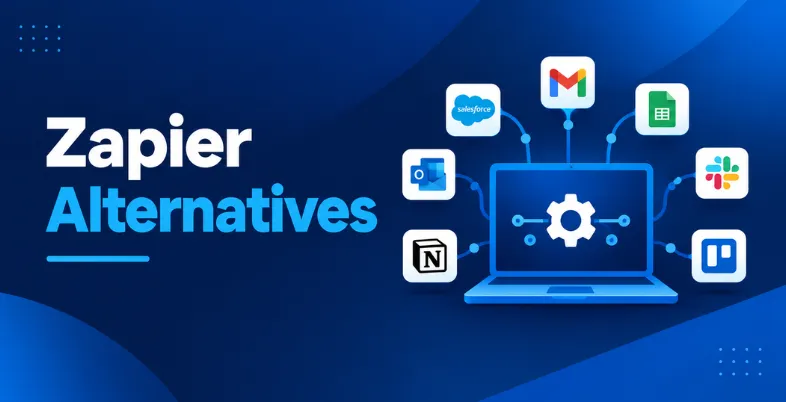
Automation has become an important part of how businesses manage repetitive work. Instead of manually moving information between apps, teams can use automation tools to connect their CRM, email, spreadsheets, forms, project management platforms, payment systems, and other business software. Zapier is one of the best-known names in this space, but it is not the only option available.
The growing number of automation platforms has made it easier for businesses to find a tool that matches their budget, technical skills, and workflow complexity. Some Zapier competitors focus on lower costs, while others offer visual workflow builders, self-hosting, developer tools, AI automation, or more flexible task limits. The right choice depends on what you want to automate and how much control you need.
In this guide, we look at the best Zapier alternatives, including their features, pricing, advantages, limitations, and ideal use cases. The aim is not simply to find the cheapest Zapier replacement, but to help you choose an automation platform that fits your actual workflow.
What Is Zapier?
Zapier is a workflow automation platform that lets users connect different applications and automate repetitive tasks without building the entire integration from scratch. For example, a business can create a workflow that sends a new website form submission to a CRM, adds the lead to Google Sheets, and sends a notification to Slack.
Zapier calls these automated workflows “Zaps.” The platform supports thousands of applications and offers multi-step workflows, webhooks, conditional logic, AI features, and other automation capabilities. Its Professional plan currently starts at $19.99 per month, while the Team plan starts at $69 per month.
Zapier remains attractive because it is relatively easy to use. However, businesses with high automation volumes, complex workflows, developer requirements, or a need for self-hosting may find that another platform offers better value or greater flexibility.
Why Look For Zapier Competitors?
Zapier is a strong choice for many users, but the best automation platform depends on the workflow. As businesses create more complex automations, factors such as execution limits, pricing models, branching logic, API access, hosting, and developer support become more important.
One common reason businesses explore zapier competitors is cost. With a task-based pricing structure, a workflow that performs several actions can consume multiple tasks. This becomes more important as automation volume increases. Zapier’s paid plans start at $19.99 per month, while the Team plan starts at $69 per month.
Another reason is workflow complexity. A simple automation such as “new Gmail email, add row to Google Sheets” is easy to build on most platforms. However, a workflow involving multiple branches, filters, API calls, data transformation, code, approval steps, and error handling may require a more flexible platform.
Self-hosting is another important factor. Some businesses want their automation environment to run on their own infrastructure because of data-control, security, compliance, or customization requirements. Platforms such as n8n and Activepieces provide self-hosting options, while others are primarily cloud-based.
For developers, code support can also make a major difference. Platforms such as Pipedream and n8n allow users to combine visual workflows with code, which can be useful when an application does not have a ready-made integration or when a workflow requires custom API logic.
What To Look For In A Zapier Alternative?
Choosing between zapier competitors should not be based only on the number of integrations or the lowest advertised price. A better approach is to look at how the platform handles the type and volume of automation your business actually needs.
1. Integration support
First, check whether the platform supports the applications you already use. Look beyond the total integration count. A tool may support thousands of applications but still lack a particular CRM, payment gateway, logistics platform, marketing tool, or database that your workflow depends on.
Also check whether the integration supports the actions you need. An application may be available as a trigger but have limited actions, or it may require an API or webhook for advanced use cases.
2. Workflow complexity
Simple workflows need a different platform from complex business processes. If you only need two or three connected apps, almost any major automation tool can work.
For workflows involving filters, routers, loops, approvals, data transformation, multiple branches, and API calls, choose a platform that gives you enough control. Make and n8n are particularly useful when workflows become more complicated because their visual builders let users see how data moves through different steps.
3. Pricing model
Do not compare only the starting monthly price. Check what the platform actually counts as a billable unit.
Some platforms charge based on tasks, while others use operations, workflow executions, or credits. This distinction can significantly affect the final cost when a workflow contains many steps or runs frequently.
4. Ease of use
A technically powerful platform is not necessarily the right choice if your team cannot use it comfortably. Non-technical marketing, sales, HR, and operations teams may prefer visual no-code platforms.
Developers, on the other hand, may prefer tools that allow JavaScript, Python, API calls, custom nodes, and more control over workflow execution.
5. Self-hosting and data control
If your business handles sensitive information, check whether the platform supports self-hosting or on-premise deployment. n8n and Activepieces are notable options for organizations that want greater control over where their automation environment runs.
6. AI and advanced automation
AI is becoming an important part of modern automation. AI workflow tools can connect AI models with business apps to automate tasks such as data extraction, document summaries, response generation, classification, and request routing.
When using AI automation, businesses should also consider human approvals, monitoring, and clear workflow controls to ensure automated decisions remain reliable.
Comparison Table Of Zapier Alternatives
The following comparison focuses on the major differences that matter when selecting a Zapier alternative. Pricing can change based on billing frequency, usage, region, and plan, so the figures below should be treated as current reference points rather than permanent prices.
| Tool | Best For | Integrations | Free Plan | Starting Paid Pricing | Ease of Use |
| Make | Complex visual workflows | 3,000+ | Yes | $12/month | Easy–Moderate |
| n8n | Developers & self-hosting | 500+ | Yes, self-hosted | €20/month | Moderate |
| Pipedream | Developers & API automation | Thousands | Yes | Varies by usage | Moderate–Advanced |
| Activepieces | Open-source & AI automation | 760+ | Yes | $16/month | Easy–Moderate |
| Pabbly Connect | Budget-conscious businesses | 2,000+ | Yes | $16/month* | Easy |
| Microsoft Power Automate | Microsoft-based businesses | Microsoft + third-party connectors | Trial | ₹1,250/user/month | Moderate |
| IFTTT | Personal & simple automation | 1,000+ services | Yes | $2.99/month | Very Easy |
| Integrately | Ready-made workflows | 1,500+ | Yes | $19.99/month | Easy |
| Workato | Enterprise automation | Thousands | Yes | $75/month* | Advanced |
| Albato | AI & flexible automation | 1,000+ | Yes | $15/month* | Easy–Moderate |
Make currently offers a free plan with 1,000 credits per month and 3,000+ apps, while its Core plan starts at $12 per month for 10,000 credits when billed monthly.
n8n’s current cloud Starter plan is €20 per month when billed annually and includes 2,500 workflow executions with unlimited steps. It also offers more than 500 integrations and supports code-based workflows.
List Of 10 Best Zapier Alternatives
1. Make
- Website: Make
- Best For: Visual workflow automation, small businesses, marketers, and teams handling complex multi-step processes.
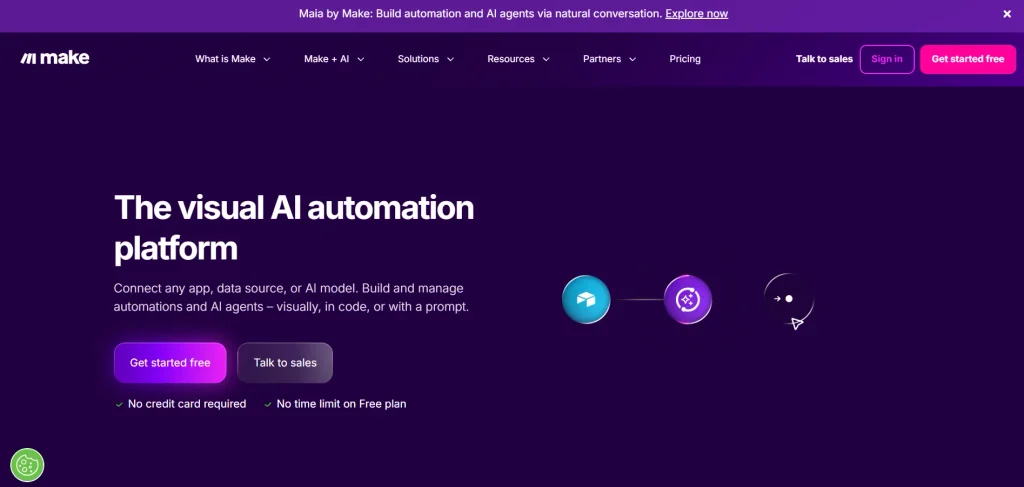
Make is one of the strongest direct zapier competitors for users who want more control over how a workflow operates. Its visual scenario builder lets users see each step and understand how information moves between applications. This is particularly useful when a workflow has multiple branches instead of following a simple trigger-and-action structure.
Make supports more than 3,000 apps and includes features such as routers, filters, scheduling, data transformation, and AI capabilities. Its current free plan provides 1,000 credits per month, while the Core plan starts at $12 per month for 10,000 credits.
Key Features
- Visual scenario builder
- 3,000+ apps
- Routers and filters
- Multi-step workflows
- Scheduling
- Data transformation
- API access
- AI automation and AI agents
- Webhooks
Pros
- Strong visual workflow builder
- Good for complex branching workflows
- Large integration library
- Useful free plan for testing
- More granular workflow control than basic automation tools
Cons
- Can take time to learn when workflows become complex
- Credit-based pricing requires some understanding of how usage is calculated
- Large scenarios can become difficult to manage without good organization
Pricing
- Free: $0 with up to 1,000 credits/month
- Core: From $12/month for 10,000 credits
- Pro: From $21/month for 10,000 credits
- Teams: From $38/month for 10,000 credits
- Enterprise: Custom pricing
Why Choose Make?
- Choose Make if you want a visual automation platform that gives you more control over complex workflows without requiring you to become a developer. It is especially useful when your automation needs multiple paths, filters, conditions, or data-processing steps.
2. n8n

- Website: n8n
- Best For: Developers, technical teams, AI workflows, and businesses that want self-hosting.
n8n takes a more technical approach to workflow automation. Instead of limiting users to simple app-to-app connections, it allows teams to combine visual workflow building with JavaScript and Python code. This makes it useful when a standard integration cannot handle a particular business requirement, especially for teams considering zapier alternatives with greater customization.
n8n currently offers more than 500 integrations and supports custom API connections. Its cloud Starter plan is €20 per month when billed annually for 2,500 workflow executions, with unlimited steps per execution. n8n also supports self-hosting, which can be important for businesses that want greater control over their infrastructure and data.
Key Features
- 500+ integrations
- Visual workflow builder
- JavaScript and Python code
- API connections
- AI agent workflows
- Self-hosting
- Human approval steps
- Workflow execution history
- Custom logic
Pros
- Highly flexible
- Strong developer capabilities
- Supports self-hosting
- Unlimited steps within an execution
- Good for complex AI workflows
Cons
- Steeper learning curve than simpler no-code tools
- Self-hosting requires technical maintenance
- May be more than a small business needs for basic automations
Pricing
- Self-hosted Community Edition: Free
- Starter: €20/month when billed annually for 2,500 executions
- Pro: €50/month when billed annually for 10,000 executions
- Higher business and enterprise options are available
Why Choose n8n?
- Choose n8n when automation is becoming part of your technical infrastructure rather than just a simple productivity tool. It is particularly attractive for developers and teams that need APIs, code, AI agents, custom logic, or self-hosting.
3. Pipedream
- Website: Pipedream
- Best For: Developers, API-heavy workflows, and teams that want to combine automation with code.
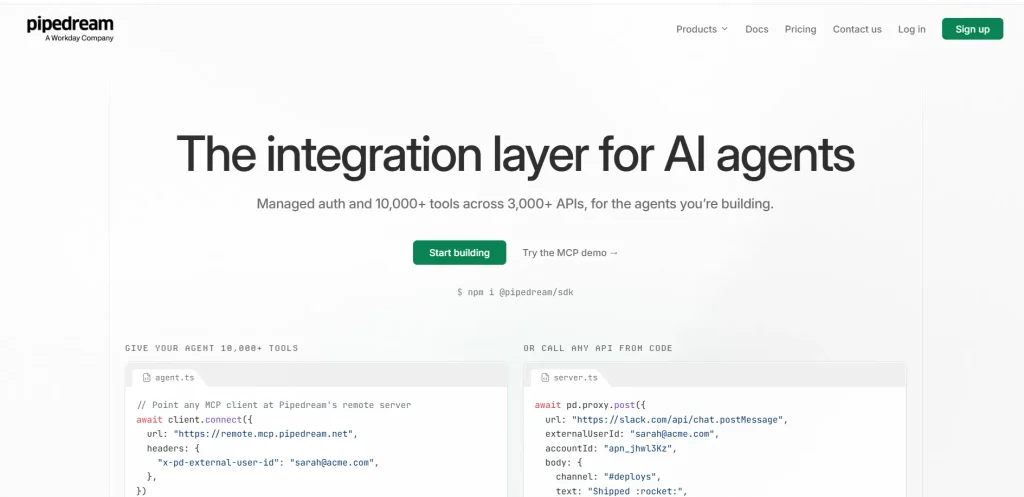
Pipedream is one of the more developer-focused zapier competitors. It connects thousands of applications and APIs while allowing users to add code to workflows. This makes it useful for situations where a traditional no-code connector is not enough. Instead of waiting for a ready-made integration, developers can work directly with APIs or create custom actions.
Pipedream supports Node.js and Python in workflows and provides pre-built integrations that can be combined with custom code. Its Connect platform also provides managed authentication and access to thousands of API integrations.
Key Features
- Thousands of app and API integrations
- Node.js and Python support
- API workflows
- Webhooks
- Serverless workflow execution
- Custom actions
- Managed authentication
- MCP and AI-agent support
Pros
- Excellent for developers
- Strong API support
- Easy to add custom code
- Large integration ecosystem
- Useful for AI and agent-based applications
Cons
- Less beginner-friendly than basic no-code platforms
- Coding knowledge can be useful for advanced workflows
- Pricing and usage can require more technical understanding
Pricing
- Free plan available
- Free plan has daily credit and workflow limits
- Paid plans are available when higher usage and production capabilities are required
Why Choose Pipedream?
- Choose Pipedream if your automation requirements involve APIs, custom code, webhooks, or developer-built applications. It is a better fit for technical teams than businesses looking for only simple drag-and-drop automation.
4. Activepieces
- Website: Activepieces
- Best For: Open-source automation, AI workflows, and teams that want cloud or self-hosted deployment.
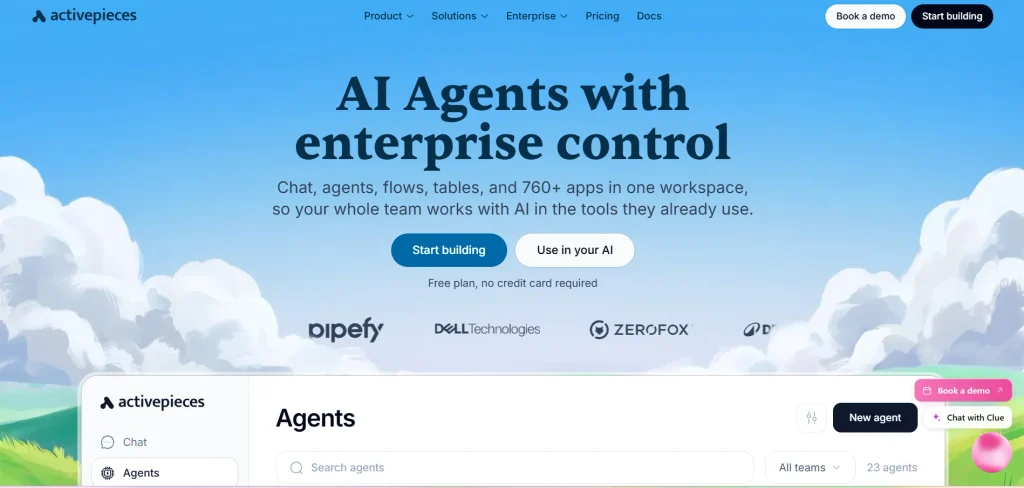
Activepieces is an increasingly interesting option for businesses that want a Zapier-style experience with more control over hosting. The platform combines workflows, AI agents, tables, and automation features in one environment. It is also designed to work on the cloud or on the user’s own infrastructure.
Its current free plan provides 100 credits per day and unlimited flows. The Plus plan starts at $16 per month when billed annually and includes 10,000 credits per month. Activepieces states that one flow run uses one credit regardless of the number of steps inside that flow.
Key Features
- Unlimited flows
- AI agents
- Tables
- MCP support
- API access
- Cloud and on-premise deployment
- Self-hosting
- 760+ apps and AI steps
- Chat-to-automation features
Pros
- Free plan
- Open-source foundation
- Self-hosting available
- AI-focused features
- One flow run counts as one credit
Cons
- Smaller ecosystem than Zapier
- Some advanced team and governance features require higher plans
- New users may need time to understand its newer AI-focused features
Pricing
- Free: $0 with 100 credits/day
- Plus: $16/month billed yearly with 10,000 credits/month
- Team: $166/month billed yearly with 50,000 credits/month
- Ultimate: Custom pricing
Why Choose Activepieces?
- Choose Activepieces if you want an automation platform that combines no-code workflows with AI and self-hosting options. It is especially worth considering for businesses that want more control over their automation infrastructure without moving completely into a developer-only environment.
5. Pabbly Connect
- Website: Pabbly Connect
- Best For: Businesses looking for cost-conscious automation and a large number of integrations.
Pabbly Connect focuses heavily on providing a broad automation feature set without making users pay for every internal workflow operation. It supports more than 2,000 applications and provides a visual workflow builder for creating multi-step automations. This makes it useful for marketing, sales, ecommerce, CRM, payment, and lead-management workflows, particularly for businesses evaluating zapier alternatives.
One of Pabbly’s notable differences is how it treats internal steps such as filters, routers, formatters, and other workflow functions. The company says these internal steps do not consume tasks in the same way external application actions do.
Key Features
- 2,000+ integrations
- Multi-step workflows
- Webhooks
- Routers and filters
- Email parser
- JavaScript and Python modules
- Scheduling
- Auto re-execution
- Human-in-the-loop approvals
- Unlimited premium apps on applicable plans
Pros
- Large integration library
- Strong focus on task efficiency
- Multi-step automation
- Useful for ecommerce and marketing workflows
- Available in India-focused pricing
Cons
- Interface may feel less polished than some newer competitors
- Advanced workflows can require learning the platform
- Pricing plans can be difficult to compare directly with platforms using different billing units
Pricing
- Free: 100 tasks/month
- Standard plans start from around $16/month for 10,000 tasks on current US pricing
- Higher plans offer larger task limits
- Lifetime plans are also available for selected packages
Why Choose Pabbly Connect?
- Choose Pabbly Connect if you are mainly concerned about automation costs and task consumption. It can be particularly useful for businesses running large numbers of repetitive marketing, lead-generation, ecommerce, and data-transfer workflows.
6. Microsoft Power Automate
- Website: Microsoft Power Automate
- Best For: Businesses already using Microsoft 365, Dynamics, Teams, Excel, or other Microsoft services.
Microsoft Power Automate is more than a basic app-connection tool. It combines cloud workflow automation with desktop automation and robotic process automation. This makes it useful for organizations that need to automate both online processes and repetitive tasks performed on computers.
For example, a company could use Power Automate to move information between Microsoft Forms, Excel, Outlook, Teams, and other business systems. It can also automate certain desktop processes where traditional cloud integrations are not enough.
In India, Microsoft’s current pricing page lists Power Automate Premium at ₹1,250 per user per month when paid annually, excluding applicable GST. Microsoft also offers a 30-day free trial.
Key Features
- Cloud flows
- Desktop flows
- Robotic process automation
- Microsoft 365 integration
- AI capabilities
- Process mining
- Premium connectors
- Business process automation
Pros
- Strong Microsoft ecosystem
- Useful for enterprise workflows
- Supports desktop automation
- Suitable for larger organizations
- Strong business process capabilities
Cons
- Can be complicated for beginners
- Pricing can become complex
- Best value is often seen by organizations already invested in Microsoft products
Pricing
- Free trial: 30 days
- Premium: ₹1,250/user/month when paid annually in India
- Process: ₹12,480/bot/month
- Hosted Process: ₹17,885/bot/month
- GST is extra where applicable
Why Choose Power Automate?
- Choose Power Automate if your business already relies heavily on Microsoft 365. Its biggest advantage is not simply connecting apps, but bringing cloud automation and desktop automation into a broader Microsoft business environment.
7. IFTTT
- Website: IFTTT
- Best For: Personal automation, simple workflows, smart-home users, and lightweight productivity tasks.
IFTTT takes a simpler approach to automation. It is built around “Applets” that connect services and devices so that an action happens automatically when a condition is met. For example, users can create automations involving smart-home devices, calendars, social platforms, weather services, and other connected services.
Its simplicity is both its biggest advantage and its main limitation. IFTTT is not designed to replace highly complex business automation platforms. Instead, it works well when you need straightforward automations without a complicated workflow builder.
The current free plan provides two Applets, while the Pro plan costs $2.99 per month when billed annually. Pro+ costs $8.99 per month when billed annually and adds advanced features such as AI services and filter code.
Key Features
- Simple Applets
- No-code automation
- Smart-home integrations
- Webhooks
- Multi-action Applets
- AI services on Pro+
- Filter code
- Mobile app
Pros
- Very easy to use
- Affordable paid plans
- Good for personal automation
- Useful for smart-home workflows
- Free plan available
Cons
- Not designed for highly complex business processes
- Fewer advanced workflow controls than Make or n8n
- Free plan is limited to two Applets
Pricing
- Free: $0
- Pro: $2.99/month billed annually
- Pro+: $8.99/month billed annually
Why Choose IFTTT?
- Choose IFTTT when your automation needs are simple. It is a practical option for connecting personal services, smart devices, and lightweight productivity workflows without dealing with complicated workflow logic.
8. Integrately
- Website: Integrately
- Best For: Beginners, small businesses, and users looking for ready-made automations.
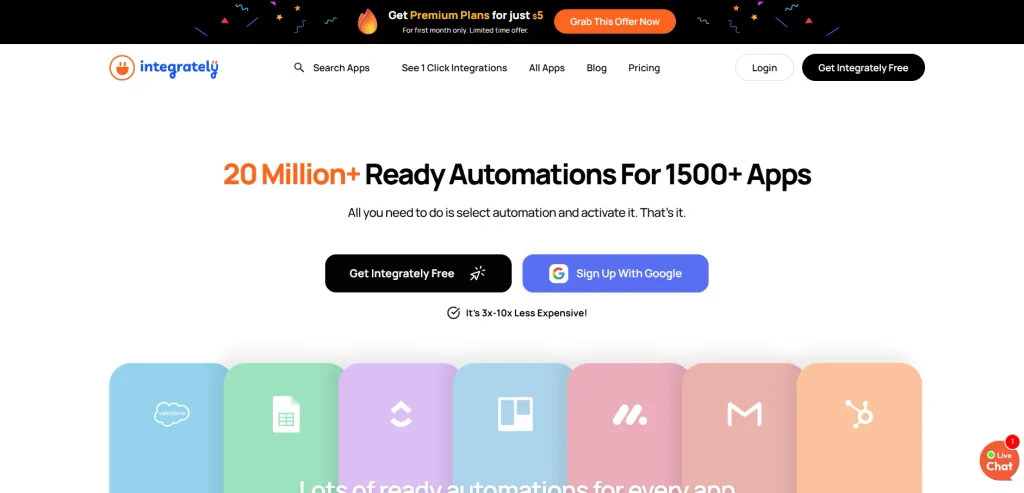
Integrately is a no-code automation platform designed to make app integration simple. Instead of building every workflow from the beginning, users can choose from ready-made automations and activate them with minimal setup. The platform currently supports more than 1,500 apps and says it offers more than 20 million ready-to-use automations. This makes Integrately a useful choice for users comparing zapier alternatives that offer pre-built workflows with minimal setup.
It supports multi-step workflows, webhooks, filters, routers, data modification, scheduling, and auto-retry. This makes it a useful option for users who want more functionality than basic automation tools without dealing with a highly technical interface.
Key Features
- 1,500+ app integrations
- 20 million+ ready-made automations
- Multi-step workflows
- Webhooks
- Filters and branching
- Data modification
- Scheduler
- Auto-retry
- AI Automation Builder
- No-code workflow creation
Pros
- Very easy for beginners
- Large library of ready-made workflows
- Supports multi-step automation
- No coding required
- Useful for marketing and CRM workflows
- Free plan available
Cons
- Advanced features are limited on lower plans
- The interface may feel less flexible for highly technical workflows
- Task limits need to be considered for high-volume automation
Pricing
- Free: 100 tasks
- Starter: $19.99/month when billed annually for 2,000 tasks
- Professional: $39/month when billed annually for 10,000 tasks
- Growth: $99/month when billed annually for 30,000 tasks
- Business: $239/month when billed annually for 150,000 tasks
Why Choose Integrately?
- Choose Integrately if you want to build automations quickly without spending much time learning the platform. Its large collection of ready-made workflows is particularly useful for small businesses that frequently connect tools such as CRM platforms, email marketing software, Google Sheets, ecommerce platforms, and project management tools.
9. Workato
- Website: Workato
- Best For: Enterprises, large teams, complex integrations, and AI-powered business automation.
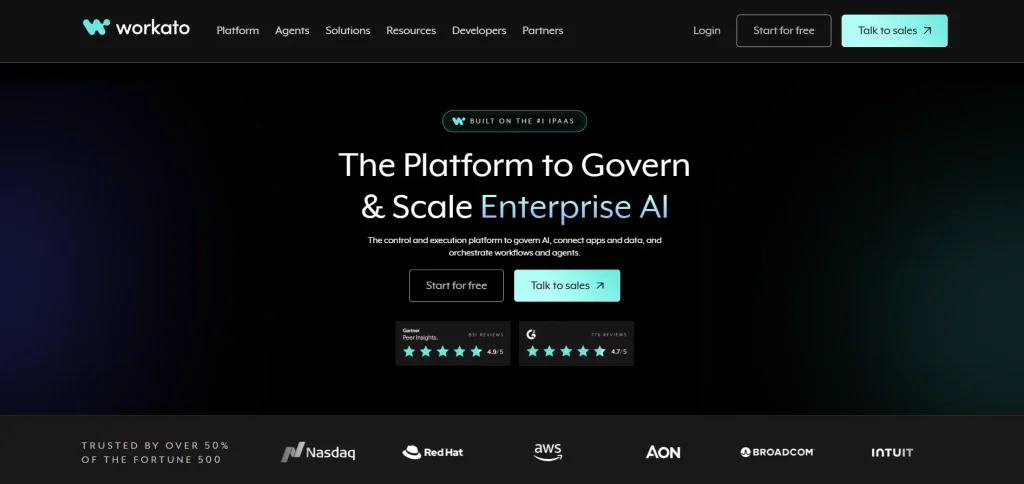
Workato is a more enterprise-oriented alternative to Zapier. It focuses on integration, workflow orchestration, API management, and AI-powered automation rather than only simple app-to-app connections. Workato’s integration library includes thousands of SaaS applications, databases, ERP systems, and enterprise systems. Its platform also includes governance, security, data protection, and lifecycle management features that are important when automation is being used across a large organization.
Workato is particularly different from beginner-focused automation platforms because it is designed to support business-critical processes. Companies can use it to connect systems across departments and manage more complicated workflows. Its current platform also includes AI and agentic capabilities, making it relevant for organizations exploring AI-powered business processes.
Key Features
- Thousands of app and system integrations
- Enterprise workflow orchestration
- API management
- AI agents
- Real-time data and event orchestration
- Low-code application development
- Security and governance
- Enterprise integrations
- Workflow monitoring
Pros
- Strong enterprise capabilities
- Extensive integration ecosystem
- Advanced security and governance
- Supports AI agents
- Suitable for complex business processes
- Designed for large-scale automation
Cons
- More expensive than most small-business automation tools
- Can be excessive for simple workflows
- Pricing can be difficult to compare with standard SaaS automation platforms
- Enterprise features may require technical expertise
Pricing
Workato uses a usage-based model rather than a simple fixed-price structure for direct customers. Its self-service plans currently include:
- Free: $0 with a one-time 50,000-credit allocation
- Pro: From $75/month for 2,500 credits
- Pro: $100/month for 3,500 credits
- Pro: $275/month for 10,000 credits
- Pro: $780/month for 30,000 credits
- Pro: $1,275/month for 50,000 credits
- Enterprise: Custom pricing
Why Choose Workato?
- Choose Workato when automation is becoming an important part of your company’s larger technology infrastructure. It is better suited to enterprises that need integration, governance, security, APIs, AI agents, and complex business-process automation rather than simple two-app workflows.
10. Albato
- Website: Albato
- Best For: Small teams, AI automation, and businesses that need flexible transaction-based automation.
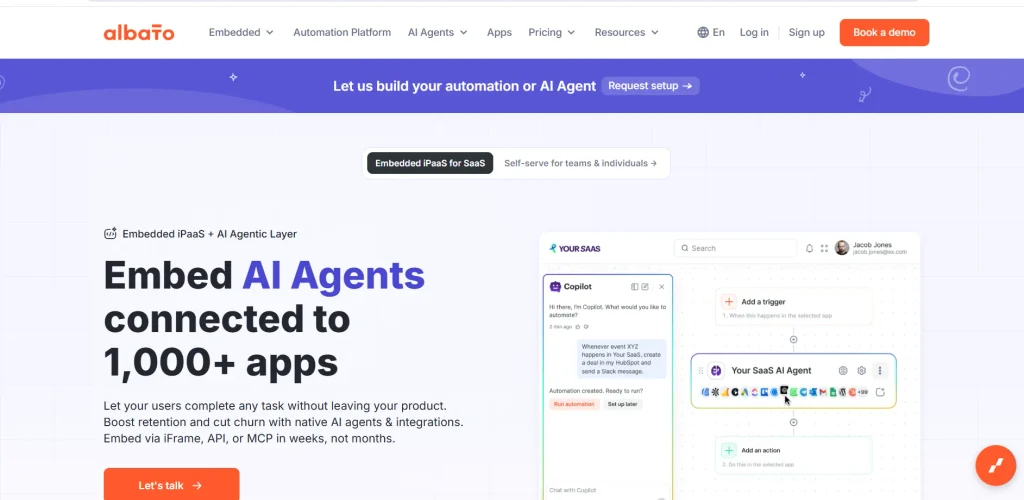
Albato is a no-code integration and automation platform that connects business applications and allows users to create multi-step workflows. It currently provides more than 1,000 app integrations and supports features such as webhooks, custom APIs, filters, AI tools, and automation templates. Its pricing model is based on a plan plus a separate transaction package, allowing users to increase their automation volume without necessarily moving to a higher feature plan.
Albato also has a stronger AI focus than a basic integration platform. Its AI capabilities can be used for tasks such as generating text, translating content, processing emails, and working with product descriptions. The platform also offers AI agents on its paid Pro plan.
Key Features
- 1,000+ app integrations
- Multi-step automations
- Webhooks
- Custom API integrations
- AI automation
- AI agents
- Data migration
- Auto-replay
- Parallel scenario execution
- Automation templates
- Custom apps
Pros
- Large integration library
- AI features included in paid plans
- Unlimited automations on Pro
- Flexible transaction-based pricing
- Custom API support
- Useful for growing businesses
Cons
- Pricing can take some time to understand
- Free plan has limited transaction capacity
- Some advanced AI features require a paid plan
- Enterprise users may need custom pricing
Pricing
Albato’s current plans include:
- Free: $0 with 100 transactions
- Pro: From $15/month when billed annually, with 1,000 transactions
- Teams: From $65/month when billed annually, starting with 5,000 transactions
- Custom: Pricing based on enterprise requirements
The Pro plan supports unlimited automations and steps, while users can select transaction packages separately according to their usage.
Why Choose Albato?
- Choose Albato if you want a flexible automation platform that combines traditional workflow automation with AI features. It is particularly useful for growing businesses that want to increase their automation volume without having to constantly move to a higher feature tier.
Benefits Of Using Zapier Alternatives
Choosing one of the zapier competitors can provide benefits beyond simply reducing your monthly automation bill. The biggest advantage is the ability to select a platform based on the way your business actually works.
1. Lower automation costs
Some alternatives use different billing structures that can be more economical for high-volume workflows. Make uses credits, n8n charges cloud users based on workflow executions, and Activepieces counts a full flow run as one credit regardless of how many steps are inside the flow.
This means that the cheapest platform depends on your workflow structure. A business running short workflows may prefer one pricing model, while a company running long multi-step workflows may benefit from another.
2. More control over complex workflows
Some Zapier competitors provide deeper workflow logic. For marketing teams, SEO automation tools and business intelligence tools can simplify reporting, analytics, content workflows, and other repetitive tasks.
For example, a lead-generation workflow can check a lead’s industry, score the lead, send high-value leads to a salesperson, place lower-value leads into an email sequence, and store the entire activity in a CRM. For marketing and sales teams, linkedIn automation tools can also streamline repetitive outreach activities and connect them with CRM or follow-up workflows.
3. Self-hosting options
Self-hosting gives organizations more control over their automation environment. n8n and Activepieces allow businesses to run their automation systems on their own infrastructure, which can be useful for organizations with strict data or infrastructure requirements.
4. Better developer control
Developer-focused platforms allow teams to work with APIs and code rather than waiting for every integration to be available as a visual connector. This is particularly useful for SaaS businesses, technical teams, and companies working with internal applications.
Pipedream and n8n are strong examples because they allow code to become part of the workflow instead of treating automation as a completely no-code process.
5. AI-powered automation
Modern automation is moving beyond simple triggers and actions. AI can now help classify incoming information, summarize documents, extract data, draft responses, route requests, and support decision-making.
Make, n8n, Activepieces, and Pipedream all provide capabilities that can connect AI with traditional workflows. This makes automation useful for tasks that previously required more manual judgment, although businesses should still use approval and monitoring steps for important decisions.
How To Choose The Right Zapier Alternative?
- Identify your automation needs: List the tasks and processes you want to automate before comparing tools.
- For simple workflows: Choose Make if you want an easy-to-use visual workflow builder.
- For self-hosting: Consider n8n if you need more control, customization, and developer-friendly features.
- For API-based workflows: Pipedream is a good choice when your automations depend heavily on APIs and code.
- For open-source and AI automation: Activepieces is worth considering if these are important to your business.
- For cost-conscious users: Pabbly Connect can be useful when task limits and pricing are major concerns.
- For Microsoft users: Power Automate is a strong option for businesses already using Microsoft 365 and related tools.
- For personal automation: IFTTT works well for simple, lightweight, and everyday automations.
- Test a real workflow: Before choosing a platform, automate one of your actual daily processes instead of testing a basic two-app demo.
- Check actual usage: See how many tasks, operations, credits, or executions your real workflow consumes to understand the likely cost.
- Look at troubleshooting features: Check whether the platform provides execution history, clear error messages, logs, retry options, and workflow monitoring.
- Consider long-term usability: Choose a platform that not only builds workflows easily but also makes it simple to monitor, fix, and maintain them as your automation needs grow.
Conclusion
Zapier remains one of the most recognizable automation platforms, but businesses no longer have to depend on a single tool for workflow automation. The best Zapier alternatives offer different approaches to pricing, workflow design, integrations, AI, APIs, and hosting.
Make is a strong choice for visual and complex workflows, while n8n is better suited to technical teams that want deeper control and self-hosting. Pipedream works particularly well for developers and API-driven automation. Activepieces is attractive for open-source and AI-focused automation, while Pabbly Connect can be useful for businesses that want to control task-related costs.
Power Automate is especially relevant for Microsoft-focused organizations, while IFTTT remains a simple and affordable option for personal and lightweight automation.
The right choice should therefore depend on your workflow volume, technical skills, required integrations, budget, and level of control. Instead of asking which tool is the “best” Zapier alternative, ask which platform can automate your specific processes reliably without creating unnecessary cost or complexity.
FAQs
1. What Is The Best Zapier Alternative In 2026?
There is no single best option for every user. Make is a strong all-round choice for visual workflows, n8n is better for technical teams and self-hosting, Pipedream works well for developers, and Activepieces is attractive for open-source and AI-focused automation.
2. Is Make Better Than Zapier?
Make can be a better option when you need complex visual workflows, branching, routers, and greater control over automation logic. Its current plans include 3,000+ apps and a free plan with 1,000 credits per month.
However, Zapier can still be easier for users who want to create straightforward automations quickly. The better option depends on the workflow rather than the platform alone.
3. Is n8n A Good Alternative To Zapier?
Yes. n8n is particularly useful for technical teams that need custom logic, code, APIs, AI workflows, or self-hosting. It currently provides more than 500 integrations and allows JavaScript and Python to be used inside workflows.
4. Which Zapier Alternative Is Best For Developers?
Pipedream and n8n are two of the strongest options for developers. Both allow workflows to go beyond simple no-code actions. Pipedream is particularly useful for API-driven workflows and code-based automation, while n8n combines visual workflows with code, AI agents, and self-hosting.
5. Which Zapier Alternative Is Best For Small Businesses?
Make, Pabbly Connect, and Activepieces are worth considering for small businesses. Make provides a strong visual builder, Pabbly focuses heavily on task-efficient automation, and Activepieces offers a free plan with unlimited flows and self-hosting options.