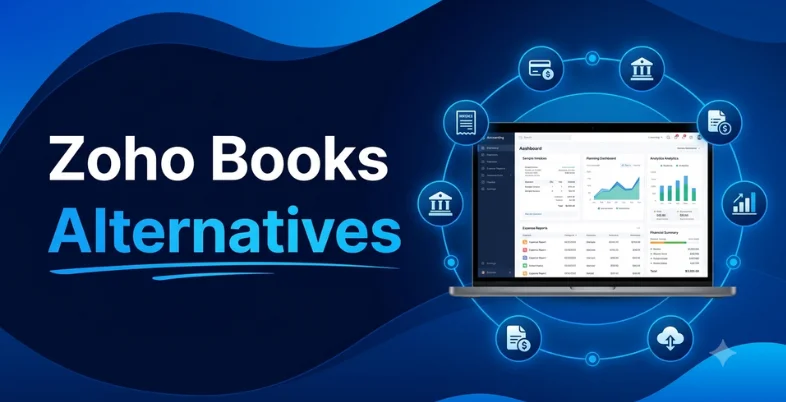
Zoho Books handles essential accounting tasks, but it may not fit every workflow or growth stage. So, which alternative offers the right features without adding unnecessary cost or complexity?
Is your accounting software saving time or creating more work? As your business grows, basic bookkeeping may no longer meet your needs. You may need better inventory management, reporting, integrations, or support for multiple users and entities.
This guide compares 10 Zoho Books alternatives by features, pricing, invoicing, expense tracking, and key use cases to help you choose the right fit.
Why Look For Zoho Books Alternatives?
Zoho Books handles essential accounting tasks, but growing businesses may need more specialized features, better automation, or stronger scalability. Inventory-heavy companies may want deeper stock controls, while larger teams may need advanced reporting, multi-entity accounting, or broader integrations.
The need for automation is also clear. A 2024 Intuit QuickBooks survey found that businesses spent an average of 25 hours per week on manual data entry and reconciliation, while 72% wanted more automation in their workflows.
For businesses facing similar challenges, switching to an alternative can help reduce repetitive work and improve financial management. The key is choosing software that matches current requirements without creating unnecessary complexity or cost.
What To Consider When Choosing A Zoho Books Alternative?
The right alternative should match your business needs, workflow software, and budget. Compare the features you actually use instead of choosing software based only on price.
- Accounting Features: Check for essential tools such as invoicing, expense tracking, bank reconciliation, and financial reporting. Larger businesses should also consider multi-entity accounting and consolidation.
- Invoicing and Payments: Look for easy invoice creation, recurring billing, payment tracking, and online payment options. A simple process can reduce manual follow-ups and improve cash flow.
- Inventory Management: Product-based businesses should check stock tracking, purchase orders, inventory valuation, and warehouse support. Service businesses may need only basic inventory features.
- Integrations and Collaboration: Check whether the software connects with your banks, payment platforms, payroll, ecommerce tools, and CRM. Multi-user access is also useful when accountants or finance teams work together.
- Pricing and Total Cost: Compare the complete cost, including users, add-ons, integrations, payment fees, and implementation. A higher-priced plan may offer better value if it includes essential features.
- Scalability and Support: Choose software that can support increasing users, transactions, locations, or entities. Also review customer support, migration options, security, and training resources before switching.
Comparison Of Zoho Books Alternatives
| Software | Best For | Invoicing | Expense Tracking | Pricing |
| QuickBooks Online | Small to mid-sized businesses needing scalable accounting and strong accountant support | Custom invoices, progress billing, recurring billing, and payment tracking | Automated expense tracking, receipt capture, and transaction matching | Starts at $35/month |
| Xero | Small to medium-sized businesses needing automation, multi-currency support, and integrations | Invoices, quotes, recurring billing, and payment tracking | Expense tracking, bank feeds, and automated reconciliation | Starts at $15/month |
| FreshBooks | Freelancers, self-employed professionals, and service-based agencies | Custom invoices, recurring billing, payment reminders, and online payments | Expense tracking and receipt scanning | Starts at $19/month |
| Wave Accounting | Freelancers and service-based small businesses seeking free accounting | Automated invoicing and recurring billing | Income and expense categorization with transaction tracking | $0 for core accounting |
| Sage Accounting | Growing small businesses needing invoicing and cash-flow management | Custom invoicing, billing, and recurring invoices | Expense tracking, receipt capture, and bank reconciliation | Starts at around $10/month |
| Sage Intacct | Mid-sized to enterprise-level businesses with complex financial requirements | Billing, invoicing, and automated revenue management | Advanced financial and expense management | Custom quote |
| Odoo Accounting | Businesses wanting accounting integrated with a broader ERP ecosystem | Customer invoices, vendor bills, and recurring billing | Expense tracking, bank synchronization, and reconciliation | Free One App plan; paid plans available |
| ZarMoney | Businesses needing accounting with advanced inventory management | Custom invoices, billing, estimates, and payment collection | Expense management, bills, and bank transaction tracking | Starts at $15/month |
| Kashoo | Solopreneurs, freelancers, and small businesses wanting simple bookkeeping | Custom invoices, automated payment collection, and recurring billing | Expense tracking, receipt uploads, and AI categorization | Starts at $20/month |
| TallyPrime | Inventory-heavy businesses requiring accounting and statutory compliance | GST invoicing, e-invoicing, and e-way bills | Expense, cash-flow, and accounting transaction management | Starts at $18/month billed annually |
List Of 10 Best Zoho Books Alternatives
1. QuickBooks Online
- Website: https://quickbooks.intuit.com/global/
- Best For: Small to mid-sized businesses looking for a highly scalable, industry-standard accounting platform with robust third-party integrations and a large network of certified bookkeepers
QuickBooks Online is a cloud-based accounting platform designed for small and growing businesses that need bookkeeping, invoicing, expense management, reporting, and banking in one system. Its strong accountant ecosystem makes collaboration with accounting professionals convenient. Depending on the plan, businesses can also access inventory, project profitability, and advanced reporting features, making it suitable for companies that expect their accounting requirements to expand.
Key Features:
- Automated bank feeds and transaction matching
- Customizable invoicing and progress billing
- Comprehensive inventory tracking and management
- Multi-channel commerce tracking
- Live bookkeeping add-on services
- Robust reporting and financial statement generation
- Automated sales tax calculation
- Mileage and receipt tracking
Pros:
- Seamless integration with thousands of third-party apps
- Massive network of accountants and bookkeepers familiar with the software
- Highly customizable reporting capabilities
- Advanced inventory tracking on higher tiers
- Scalable plans that grow with your business
Cons:
- Significantly more expensive than Zoho Books
- Strict user limits on cheaper plan tiers
- Steep learning curve for non-accountants
- Customer support can be difficult to reach
- Upgrading plans is required for basic features like time tracking
Pricing:
- Simple Start: $35 per month (1 user)
- Essentials: $65 per month (up to 3 users)
- Plus: $95 per month (up to 5 users)
- Advanced: $235 per month (up to 25 users)
Why Choose QuickBooks Online:
- Select QuickBooks Online if you want an industry-standard platform that ensures seamless collaboration with external accountants and can easily scale as your business complexity grows.
2. Xero
- Website: https://www.xero.com
- Best For: Small to medium-sized businesses needing robust automation, multi-currency support, and extensive software integrations
Xero is cloud accounting software known for collaborative bookkeeping, bank reconciliation, invoicing, inventory tracking, and multi-currency accounting. It allows businesses and advisors to work with financial data online while supporting transactions in more than 160 currencies. Its inventory tools connect stock levels with invoices and orders, making Xero a useful zoho books alternative for businesses that need accessible accounting alongside international transactions and team-based financial management.
Key Features:
- Automated bank feeds and reconciliation
- Multi-currency accounting
- Project tracking and costing
- Inventory management
- Hubdoc receipt scanning
- Payroll integration (via Gusto)
Pros:
- Unlimited users on all plans
- Advanced automation rules
- Over 1,000 third-party integrations
- Real-time financial reporting
- Excellent mobile application
Cons:
- Strict invoice limits on the starter plan
- Higher pricing than Zoho Books
- Expense tracking requires an upgrade
- Project tracking requires an upgrade
- Steeper learning curve for beginners
Pricing:
- Early Plan: $15 per month (limited to 20 invoices)
- Growing Plan: $45 per month (unlimited invoices)
- Established Plan: $78 per month (includes multi-currency and expense tracking)
Why Choose Xero:
- Choose Xero over Zoho Books if you need to support unlimited users without per-seat fees or require a vast ecosystem of specialized app integrations.
3. FreshBooks
- Website: https://www.freshbooks.com
- Best For: Self-employed professionals, freelancers, and service-based agencies needing easy invoicing and time tracking
FreshBooks is accounting and invoicing software built mainly for freelancers, consultants, agencies, and service-based businesses. Its strengths include professional invoicing, expense tracking, time tracking, estimates, online payments, and project-related workflows. By connecting billable time and expenses with client billing, FreshBooks can be a useful zoho books alternative for service providers who want to manage financial administration without the complexity often associated with larger accounting systems designed for inventory-heavy or multi-entity organizations.
Key Features:
- Custom invoice creation
- Automated late payment reminders
- Native project time tracking
- Expense tracking and receipt scanning
- Client collaboration portal
- Multi-currency and multi-language support
- Automated recurring billing
Pros:
- User-friendly interface
- Excellent invoicing tools
- Built-in time tracking
- Helpful client portal
- Robust mobile app
Cons:
- Limited inventory management
- Strict client count limits
- Expensive scaling costs
- Basic standard reporting
- Limited user seats per plan
Pricing:
- Lite: $19.00 per month (up to 5 billable clients)
- Plus: $33.00 per month (up to 50 billable clients)
- Premium: $60.00 per month (unlimited billable clients)
- Select: Custom pricing for enterprise needs
Why Choose FreshBooks:
- Select FreshBooks if you want a highly intuitive, invoice-focused alternative to Zoho Books that takes the stress out of client billing and time tracking.
Suggested Read:
- https://indimarketer.com/zapier-alternatives/
- https://indimarketer.com/notion-alternatives/
- https://indimarketer.com/free-canva-alternatives/
4. Wave Accounting
- Website: https://www.waveapps.com
- Best For: Freelancers and service-based small businesses seeking a completely free software for invoicing and basic bookkeeping
Wave Accounting provides a straightforward zoho books alternative for freelancers, entrepreneurs, and very small businesses that need essential financial management. Its free Starter plan includes core accounting and invoicing functionality, while its paid Pro plan adds features such as automated bank transaction imports, receipt scanning, and transaction categorization. Wave is particularly suited to businesses with uncomplicated bookkeeping needs that want to keep recurring software costs low.
Key Features:
- Automated invoicing and recurring billing
- Bank data synchronization and transaction tracking
- Income and expense categorization
- Basic financial reporting (Profit & Loss, Cash Flow)
- Receipt scanning via mobile app
Pros:
- 100% free core accounting features
- Unlimited invoicing, clients, and collaborators
- User-friendly and intuitive interface
- Automatic bank reconciliation
- No hidden monthly software fees
Cons:
- High transaction fees for online payments
- Paid add-ons required for payroll features
- Limited inventory management capabilities
- No dedicated live customer chat for free users
- Fewer advanced customization options than Zoho Books
Pricing:
- Accounting & Invoicing: $0 (Free forever)
- Payment Processing: 2.9% + $0.60 per credit card transaction (3.4% + $0.60 for Amex); 1% per ACH transfer
- Mobile Receipt Capture: $0 (Free, included in the app)
- Payroll: $20 to $40 per month base fee, plus $6 per employee per month
Why Choose Wave Accounting:
- Choose Wave Accounting if you want a 100% free, straightforward bookkeeping tool without the monthly subscription costs or user caps of Zoho Books.
5. Sage Accounting

- Website: https://www.sage.com/en-gb/accounting-software/
- Best For: Growing small businesses and freelancers who need straightforward, automated invoicing and cash flow management without the complexity of advanced ERP software
Sage Accounting provides small businesses with tools for invoicing, expenses, banking, cash-flow management, payments, and financial reporting. Its broader Sage ecosystem also offers stronger inventory and business-management capabilities for companies with more demanding requirements. Features such as recurring invoices, automated reminders, bank reconciliation, and real-time reporting help businesses organize everyday financial operations while maintaining visibility into income, expenses, and outstanding payments.
Key Features:
- Automated bank feeds
- Custom invoicing and billing
- Cash flow forecasting
- Expense tracking and receipt capture
- Multi-currency support
- Real-time financial reporting
- Inventory tracking
- Tax compliance and VAT calculation
Pros:
- User-friendly interface
- Excellent automated bank reconciliation
- Robust mobile application
- No limit on the number of users
- Strong multi-currency handling
Cons:
- Fewer third-party integrations than Zoho Books
- Lacks a built-in time tracking feature
- Limited advanced inventory management
- No completely free tier option
- Customization options are somewhat restrictive
Pricing:
- Start Plan: Around $10 per month for entry-level invoicing and basic ledger tracking
- Standard Plan: Around $25 to $30 per month for full cash flow management, unlimited users, and automation features
Why Choose Sage Accounting:
- Choose Sage Accounting if you want a reliable, easy-to-learn system backed by strong accounting integrity and zero user caps, making it simpler to collaborate with your team than Zoho’s tier-restricted user plans.
6. Sage Intacct
- Website: https://www.sage.com/en-us/sage-business-cloud/intacct/
- Best For: Mid-sized to enterprise-level businesses requiring advanced, multi-entity accounting and robust financial reporting
Sage Intacct is a financial management platform designed for organizations with complex accounting requirements, particularly businesses managing multiple entities. It provides multi-entity accounting, consolidations, dimensional reporting, dashboards, accounts payable and receivable, cash management, and financial visibility across entities. Its ability to consolidate financial information across currencies and geographies makes it more suitable for growing and mid-market organizations than basic small-business bookkeeping platforms.
Key Features:
- Multi-entity consolidation
- Core financial ledger
- Automated billing and revenue recognition
- Advanced financial reporting and dashboards
- Project accounting and tracking
- Multi-currency management
- AI-driven automation and approvals
Pros:
- Deep multi-entity and global consolidation capabilities
- Highly customizable financial reporting and real-time dashboards
- Strong audit trails and GAAP/IFRS regulatory compliance
- Seamless scalability to handle complex organizational growth
- Powerful integration ecosystem with Salesforce and other enterprise tools
Cons:
- High total cost of ownership compared to entry-level software
- Steep learning curve requiring extensive user training
- Complex setup and implementation process that needs specialized support
- No built-in payroll or inventory management without add-on modules
- Interface can feel dense and overly technical for non-accountants
Pricing:
- Custom Quote Only: Pricing is based on a subscription model tailored to your business needs, depending on the number of users, entities, and modules selected. Implementations typically start around $5,000 to $15,000+ per year, plus significant upfront setup costs from certified implementation partners
Why Choose Sage Intacct:
- Choose Sage Intacct if you have outgrown Zoho Books’ scale and need a powerful, compliant ERP system to handle complex multi-entity consolidation, automated revenue recognition, and deep financial auditing.
7. Odoo Accounting
- Website: https://www.odoo.com › app › accounting
- Best For: Mid-to-large-sized businesses looking for a highly scalable, open-source ERP accounting solution that integrates seamlessly with a massive ecosystem of business apps
Odoo Accounting combines accounting with the wider Odoo business suite, allowing financial processes to connect with sales, purchasing, inventory, and other operational applications. It supports double-entry bookkeeping, invoicing, vendor bills, bank synchronization, reconciliation, financial reporting, budgeting, and inventory valuation. This integrated structure makes Odoo particularly useful for businesses that want accounting connected directly with broader ERP workflows instead of operating as a standalone finance application.
Key Features:
- Automated bank feeds and reconciliation
- AI-powered invoice digitization and OCR
- Dynamic, real-time financial reporting
- Multi-currency and multi-company management
- Integrated inventory, CRM, and eCommerce tracking
Pros:
- Unlimited users for free on the standard plan
- Highly customizable open-source architecture
- Seamless integration with other Odoo apps
- Robust automated reconciliation tools
- Strong global compliance and localization support
Cons:
- Steep learning curve for non-technical users
- Hidden costs for self-hosting or custom developments
- Implementation can be complex and time-consuming
- Customer support response times can be slow
- Initial setup requires significant configuration
Pricing:
- One App Free Plan: $0 (If you use only the Accounting app, it is completely free for unlimited users)
- Standard Plan: ~$24.90 to $35 per user/month (Billed annually; grants access to all Odoo apps on the standard cloud database)
- Custom Plan: ~$37.40 to $53 per user/month (Billed annually; required if you need developer customization, multi-company support, or Odoo Studio)
Why Choose Odoo Accounting:
- Choose Odoo Accounting if you have outgrown Zoho Books’ user and transaction limits and need a deeply integrated, highly scalable ERP system that can grow alongside your entire business operation.
8. ZarMoney
- Website: https://www.zarmoney.com
- Best For: Small to enterprise-level businesses looking for a highly scalable accounting solution with robust inventory management
ZarMoney combines accounting, invoicing, accounts payable, banking, payments, and advanced inventory management within one platform. Its inventory functionality supports multiple locations and warehouses, purchase orders, stock visibility, and inventory-related purchasing workflows. The platform also provides customizable invoices, online payment options, bill management, and automated bank transaction imports. This combination makes ZarMoney relevant for businesses that need financial management closely connected with inventory operations.
Key Features:
- Multi-location inventory tracking
- Advanced billing and invoicing
- Automated bank feeds and reconciliation
- Real-time financial reporting
- Custom purchase order creation
- Built-in team collaboration tools
Pros:
- Extensive inventory management features
- User-friendly and modern interface
- Highly scalable for growing businesses
- Strong automated workflow capabilities
- Transparent, per-user pricing model
Cons:
- Fewer native third-party integrations than Zoho Books
- Mobile application features are somewhat limited
- Steeper learning curve for advanced tracking tools
- Customer support responses can be slow during peak hours
- Lacks a fully free tier for standard business users
Pricing:
- ZarMoney starts at $15 per month for entrepreneurs, with tiered team plans scaling up based on the number of users and specific feature needs.
Why Choose ZarMoney:
- Choose ZarMoney if you need deeper, multi-location inventory tracking and order management than what Zoho Books typically offers.
9. Kashoo
- Website: https://kashoo.com
- Best For: Solopreneurs, freelancers, and small business owners who want simple, lightweight bookkeeping without the clutter of advanced enterprise systems
Kashoo is lightweight online accounting software designed for small businesses, sole proprietors, and self-employed users. It focuses on simplifying routine bookkeeping through automatic bank transaction imports, receipt uploads, invoicing, online payments, expense tracking, and essential financial reports. Kashoo also supports multiple users without additional user fees, making collaboration with accountants or bookkeepers straightforward. Its simple approach suits businesses that want core accounting without unnecessary complexity.
Key Features:
- Automated bank feeds and transaction synchronization
- AI-powered expense categorization and sorting
- Custom invoicing and automated payment collection
- Double-entry ledger engine
- Simplified financial reporting and real-time dashboards
- Multiple currency support
Pros:
- User-friendly interface
- Unlimited users
- Quick onboarding
- Predictable pricing
- Responsive customer support
Cons:
- No Android app
- No inventory tracking
- Fewer automation rules
- Limited third-party integrations
- No native payroll
Pricing:
- TrulySmall Invoices: $0 to $5 per month (Best for standalone, rapid invoicing)
- TrulySmall Accounting: $20 per month (Includes core bookkeeping, expense tracking, and AI categorization)
- Kashoo Full: $30 per month or $324 billed annually (Adds advanced reporting capabilities and unlimited users)
Why Choose Kashoo:
- Choose Kashoo if you value extreme simplicity, fast invoice creation, and flat-rate pricing over the deeply customizable but complex ecosystems of Zoho Books or QuickBooks.
10. TallyPrime
- Website: https://tallysolutions.com › tally-prime
- Best For: Comprehensive inventory management and statutory compliance for growing medium-to-large enterprises
TallyPrime is business accounting software with a strong focus on accounting, inventory, banking, invoicing, reporting, and statutory compliance. It provides detailed stock management alongside GST-related capabilities, e-invoicing, banking utilities, and financial reporting. Its Edit Log can maintain a record of changes made to accounting data, supporting process control and compliance. These capabilities make TallyPrime particularly relevant for Indian businesses with detailed inventory and taxation requirements.
Key Features:
- Multi-currency support
- E-invoicing and e-way bill generation
- Inventory tracking with batch and lot management
- Comprehensive statutory compliance and tax reporting
- Job costing and manufacturing journal management
Pros:
- Exceptional offline functionality
- Robust inventory control
- High speed and reliability
- Massively popular talent pool
- Highly customizable reporting
Cons:
- Steep learning curve
- Dated user interface
- Limited native automation
- Expensive multi-user licensing
- Weak remote access capabilities
Pricing:
- TallyPrime starts at $18 per month (billed annually) for the Silver Edition (Single User), while the Gold Edition (Unlimited Multi-User) costs $54 per month (billed annually). Perpetual licenses are also available starting around $450.
Why Choose TallyPrime:
- Choose TallyPrime if your business requires deep offline control over complex inventory and heavy compliance management that cloud-first software cannot easily handle.
Benefits of Switching From Zoho Books
Changing accounting software can require planning, but the right alternative can improve everyday financial operations.
- Better Workflow Alignment: Different businesses need different workflows. A freelancer may need faster invoicing, while a product business may prioritize inventory and purchasing. Switching can help align the software with actual operating requirements.
- Improved Collaboration: Platforms with broader user access and accountant-friendly workflows can make it easier for finance teams and external professionals to work together. This can reduce repeated data sharing and manual updates.
- Stronger Inventory Management: Businesses with physical products may benefit from deeper stock tracking, valuation, purchase management, and multi-location capabilities. These functions can connect inventory activity more closely with financial records.
- More Advanced Reporting: Some alternatives provide deeper dashboards, custom reports, project profitability tools, consolidation, or financial analysis. Better reporting can help management understand performance without relying heavily on spreadsheets.
- Greater Scalability: As transaction volumes, users, locations, and entities increase, accounting requirements become more complex. A scalable platform can reduce the need for another software migration during a growth phase.
- Potential Cost Efficiency: Switching does not automatically mean lower costs. However, a platform that combines several required functions may reduce the need for separate tools, manual processes, or unnecessary add-ons.
How to Choose the Best Zoho Books Alternative
The best choice depends on the business model, accounting complexity, budget, and future plans. Instead of selecting software based only on popularity or price, compare it against your actual financial workflow.
- Match the Software With Business Size: Small businesses may need straightforward bookkeeping and invoicing, while larger organizations can require multi-entity accounting, consolidation, and advanced controls. Choose a system that fits your current scale without creating unnecessary complexity.
- Identify Essential Features: Create a list of must-have functions before comparing plans. Include invoicing, expense tracking, bank reconciliation, inventory, payroll integration, tax reporting, project accounting, or multi-currency support based on your requirements.
- Check Total Cost:Look beyond the advertised subscription. Consider additional users, payment processing, integrations, payroll, inventory modules, implementation, support, and migration costs. The lowest monthly price may not represent the lowest overall cost.
- Test Ease of Use: A feature-rich platform is not useful if employees struggle to operate it. Use a free trial or demo where available. Test common tasks such as creating an invoice, reconciling a transaction, generating a report, and recording an expense.
- Review Integration Needs: Check whether the software connects with your bank, payment gateway, e-commerce platform, payroll system, CRM software, spreadsheet tools, and other applications. Strong integrations can prevent duplicate data entry.
- Plan for Future Growth: Think beyond current requirements. Consider whether you may add employees, locations, inventory, currencies, projects, or legal entities. Choosing a scalable platform can make future expansion easier and reduce another migration later.
Conclusion
Choosing a zoho books alternatives should depend on your business needs, budget, workflow, and future growth. Before making a switch, compare essential features such as invoicing, expense tracking, reporting, inventory, integrations, user access, and scalability. Also consider migration requirements and the total cost beyond the basic subscription.
The right choice is not necessarily the cheapest or the most feature-rich option. A zoho books alternatives is one that handles your current accounting needs efficiently, reduces unnecessary manual work, and can continue supporting your business as its financial requirements grow.
FAQs
1. What Should I Check Before Switching From Zoho Books?
Check your essential accounting features, data migration options, integrations, pricing, user requirements, reporting capabilities, and customer support. It is also useful to test the platform before moving your financial records.
2. Which Zoho Books Alternative Is Suitable For Freelancers?
FreshBooks is designed with freelancers and service-based businesses in mind, particularly for invoicing, expenses, time tracking, and client management. Other options can also work depending on the complexity of the business.
3. Which alternative Is Suitable For Businesses With Inventory?
TallyPrime, Odoo, QuickBooks Online, Xero, and ZarMoney provide inventory-related capabilities. The right choice depends on whether you need basic stock tracking or more advanced functions such as purchasing, valuation, and multi-location management. A zoho books alternative can be suitable depending on these inventory requirements.
4. Can I Use A Free Alternative Instead Of Zoho Books?
Yes. Wave offers a free Starter plan for basic accounting and invoicing, while Odoo provides a One App Free option. Free plans can have feature or usage limitations, so compare them with your actual requirements before switching.
5. Is Switching Accounting Software Worth It For A Growing Business?
It can be useful when the existing platform no longer fits your reporting, automation, inventory, collaboration, or scalability requirements. Before switching to a zoho books alternative, compare the total cost and migration effort against the benefits the new system can provide.