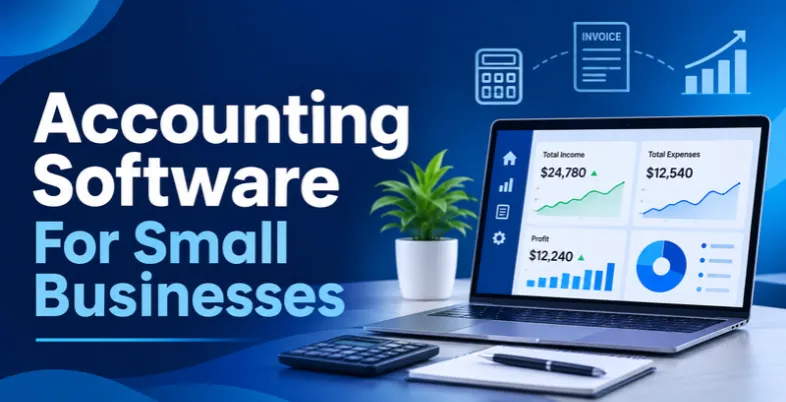
Managing finances is one of the biggest challenges for small business owners. From tracking daily expenses and managing invoices to monitoring cash flow, handling taxes, and maintaining accurate financial records, accounting tasks can quickly become overwhelming. Without the right tools, business owners often spend hours on manual bookkeeping instead of focusing on growth and customer relationships. This is where small business accounting software makes a difference.
The right accounting solution helps automate repetitive financial tasks, reduce human errors, simplify tax preparation, and provide a clear picture of your business’s financial health. Whether you are a freelancer, startup founder, retailer, or service provider, modern accounting platforms offer features that make financial management easier and more efficient. In this guide, we explore best accounting software for small businesses, highlighting their key features, advantages, and limitations to help you find the right solution for your business needs and budget.
Why Do Small Businesses Need Accounting Software?
Running a small business involves more than generating revenue and managing customers. Business owners also need to keep track of expenses, monitor cash flow, manage invoices, calculate taxes, and maintain accurate financial records. Handling these activities manually using spreadsheets or paper records can become time-consuming, especially as the business grows. Here are some important reasons why investing in accounting software can benefit small businesses:
- Saves Time Through Automation: Accounting software automates repetitive tasks such as invoice generation, expense categorization, payment reminders, and bank reconciliation, allowing business owners to focus on important business activities.
- Improves Financial Accuracy: Automated calculations and transaction tracking help reduce manual data entry errors, duplicate records, and accounting discrepancies.
- Provides Better Cash Flow Visibility: Business owners can monitor incoming payments, outstanding invoices, operating expenses, and available cash to make informed financial decisions.
- Simplifies Tax Preparation: Accounting platforms organize income, expenses, and financial transactions, making it easier to prepare financial statements and maintain records for tax filing.
- Supports Business Growth: As transaction volumes and financial requirements increase, accounting software helps businesses manage larger workloads, multiple users, and more complex financial operations.
- Enables Better Decision-Making: Detailed financial reports and dashboards provide insights into profitability, expenses, and business performance, helping owners identify opportunities to improve their financial health.
Features To Look For In Accounting Software for Small Businesses
Not all accounting software offers the same capabilities. Some platforms focus on basic bookkeeping and invoicing, while others provide advanced financial reporting, inventory management, payroll, and automation. Before selecting a solution, small business owners should understand which features can simplify their daily accounting activities and support future growth.
Invoicing and Billing: Look for software that allows you to create professional invoices, send them to customers, track payment statuses, and schedule automatic payment reminders. This helps businesses manage billing more efficiently and reduce payment delays. Retail businesses that handle frequent daily sales can also use billing software for retail shops to generate customer bills, record transactions, and manage their checkout process more efficiently.
- Expense Tracking: Choose a platform that automatically categorizes business expenses, stores digital receipts, and tracks spending. This makes it easier to understand where your money goes and manage operating costs.
- Bank Reconciliation: Bank integration allows accounting software to import transactions and match them with existing financial records. This reduces manual work and helps maintain accurate books.
- Financial Reporting: Look for tools that generate profit and loss statements, balance sheets, cash flow reports, and expense summaries to help you understand your business’s financial performance.
- Tax Management: Tax-related features help organize financial transactions, calculate applicable taxes, and prepare records for tax filing. Businesses in India should also consider GST invoicing and reporting capabilities.
- Inventory Management: If your business sells physical products, inventory tracking can help monitor stock levels, purchase orders, product costs, and sales without maintaining separate records.
- Third-Party Integrations: Accounting software should connect with payment gateways, CRM platforms, banking applications, payroll systems, and e-commerce tools to streamline business operations.
- Data Security and User Access: Choose software that offers data encryption, regular backups, user permissions, and secure login options to protect sensitive financial information.
List Of 10 Best Accounting Software For Small Businesses
1. QuickBooks Online
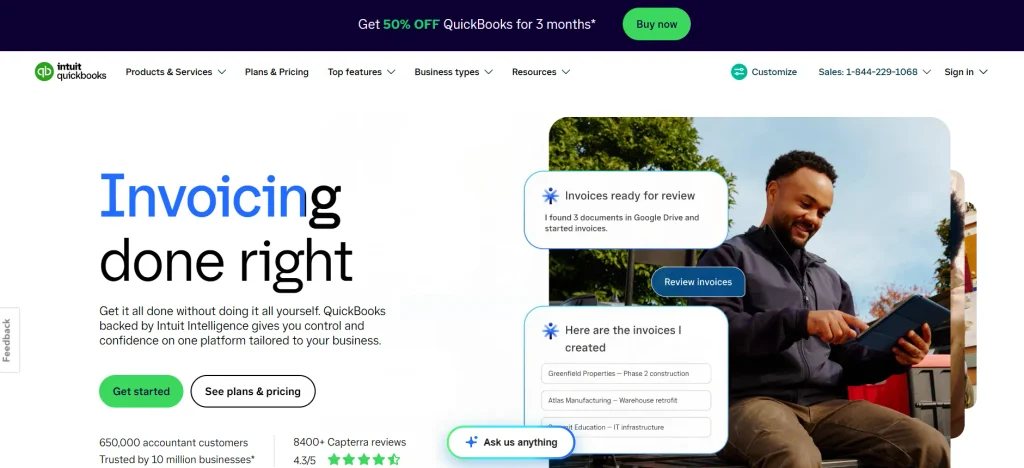
Website: https://quickbooks.intuit.com/global/pricing/
QuickBooks Online is a popular accounting solution designed to help small businesses manage their financial operations efficiently. It provides tools for invoicing, expense tracking, accounts payable, accounts receivable, and financial reporting. Businesses can connect their bank accounts to automatically import transactions, categorize expenses, and reconcile financial records.
QuickBooks Online also offers inventory tracking, project profitability monitoring, and tax management features, depending on the subscription plan. Its cloud-based platform allows business owners and accountants to access financial information from different locations. With integrations for e-commerce platforms, payment processors, CRM systems, and other business applications, QuickBooks Online helps small businesses simplify bookkeeping, improve financial visibility, and manage their accounting activities from a centralized dashboard.
Key features
- Automated bank feeds and transaction reconciliation.
- Customizable invoices and recurring payment reminders.
- Expense tracking and accounts payable management.
- Financial reporting and cash flow monitoring.
- Inventory and project profitability tracking.
Pros
- User-friendly interface for small business owners.
- Extensive third-party application integrations.
- Multiple subscription plans for different business needs.
- Large accountant and professional support community.
Cons
- Advanced features require higher-tier subscriptions.
- User access is limited depending on the plan.
- Subscription costs can increase over time.
- Some integrations may experience synchronization issues.
Pricing
- Simple Start: ₹199.61/month for the first 6 months, then ₹1,996.05/month.
- Plus: ₹437.23/month for the first 6 months, then ₹4,372.30/month.
- Advanced: ₹845.95/month for the first 6 months, then ₹8,459.46/month.
2. Xero
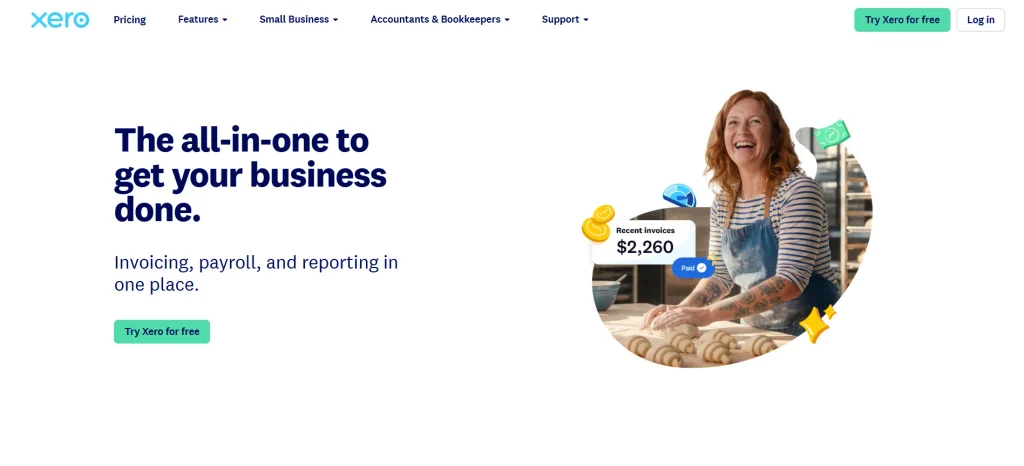
Website: https://www.xero.com/pricing-plans/
Xero is cloud-based accounting software for small businesses that helps manage bookkeeping, invoicing, expenses, and financial reporting through a centralized platform. It is particularly suitable for growing businesses that need collaboration between business owners, accountants, and finance teams. Xero allows users to connect bank accounts, import financial transactions, and reconcile records automatically, reducing manual accounting work.
Its dashboard provides an overview of cash flow, outstanding invoices, bank balances, and upcoming bills. The software also supports multi-currency accounting, inventory management, project tracking, and payroll integrations in supported markets. Another advantage is its extensive integration ecosystem, which allows businesses to connect Xero with payment platforms, CRM systems, and e-commerce applications.
Key features
- Automated bank reconciliation and transaction matching.
- Online invoicing with automated payment reminders.
- Multi-currency accounting and expense tracking.
- Financial reports and cash flow management.
- Third-party integrations with over 800 business applications.
Pros
- Unlimited user access across its subscription plans.
- Simple and intuitive accounting dashboard.
- Strong integration ecosystem.
- Useful financial reporting and reconciliation tools.
Cons
- Payroll functionality depends on location and integrations.
- Customer support is primarily available online.
- Some advanced features require higher-tier plans.
- Inventory management is relatively limited compared with dedicated inventory platforms.
Pricing
- Starter: $6.40/month for the first 3 months, then $32/month.
- Standard: $10.80/month for the first 3 months, then $54/month.
- Premium: $16.40/month for the first 3 months, then $82/month.
3. FreshBooks

Website: https://www.freshbooks.com/pricing?
FreshBooks is an accounting and invoicing platform developed primarily for freelancers, consultants, agencies, and service-based small businesses. It helps users manage invoices, track expenses, monitor billable hours, and organize project-related financial activities without requiring extensive accounting knowledge. FreshBooks offers customizable invoice templates, recurring billing, automated payment reminders, and online payment acceptance to simplify customer billing.
Its time-tracking functionality allows businesses to record working hours and convert them into billable invoices. The platform also provides expense categorization, financial reports, and project profitability insights. With its mobile application, users can create invoices, capture receipts, and review financial information while working remotely. FreshBooks is particularly useful for businesses that prioritize client billing and project management.
Key features
- Customizable invoices and recurring billing.
- Automatic payment reminders and online payment acceptance.
- Time tracking and billable project management.
- Expense tracking and receipt scanning.
- Financial reports and profit and loss statements.
Pros
- Easy-to-use interface for beginners.
- Excellent invoicing and billing capabilities.
- Convenient mobile application.
- Useful time-tracking tools for service businesses.
Cons
- Additional charges may apply for extra users.
- Limited advanced inventory management.
- Less comprehensive accounting functionality than some competitors.
- Certain advanced reporting features require higher-tier plans.
Pricing
- Lite: $4.60/month for the first 4 months, then $23/month.
- Plus: $8.60/month for the first 4 months, then $43/month.
- Premium: $14/month for the first 4 months, then $70/month.
4. Zoho Books
Website: https://www.zoho.com/in/books/pricing/pricing-comparison.html
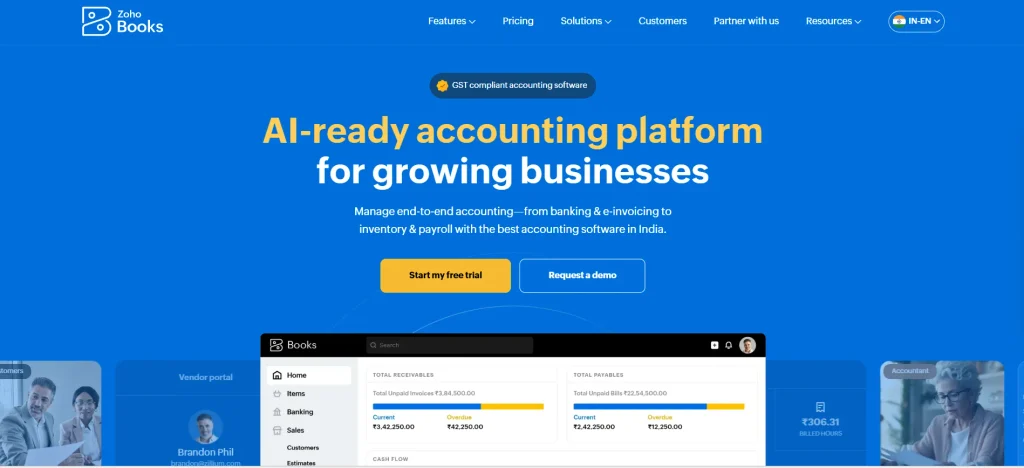
Zoho Books is an accounting solution designed to help small businesses manage their financial activities, automate bookkeeping, and maintain accurate financial records. It provides tools for invoicing, expense tracking, bank reconciliation, accounts payable, and accounts receivable. Businesses can create recurring invoices, schedule payment reminders, and automate transaction categorization to reduce repetitive administrative work.
Zoho Books also supports inventory management, project tracking, time tracking, and detailed financial reporting. One of its major advantages is its integration with other Zoho applications, including Zoho CRM, Zoho Inventory, and Zoho Expense, allowing businesses to manage different operations within the same ecosystem while comparing Zoho Books alternatives for other accounting needs. Its automation capabilities and flexible reporting tools make it suitable for startups and growing small businesses.
Key features
- Automated invoicing and payment reminders.
- Bank reconciliation and transaction categorization.
- Inventory and project management.
- Automated workflows and recurring transactions.
- Financial reporting and cash flow tracking.
Pros
- Affordable plans for small businesses.
- Free plan available for eligible businesses in supported markets.
- Strong integration with Zoho applications.
- Extensive automation and customization options.
Cons
- Advanced features require premium subscriptions.
- Learning all available features can take time.
- Some integrations work best within the Zoho ecosystem.
- Reporting customization may require additional setup.
Pricing
- Free: ₹0/month.
- Standard: ₹749/month.
- Professional: ₹1,499/month.
- Premium: ₹2,999/month.
- Elite: ₹4,999/month.
- Ultimate: ₹7,999/month.
5. Wave Accounting
Website: https://www.waveapps.com/pricing
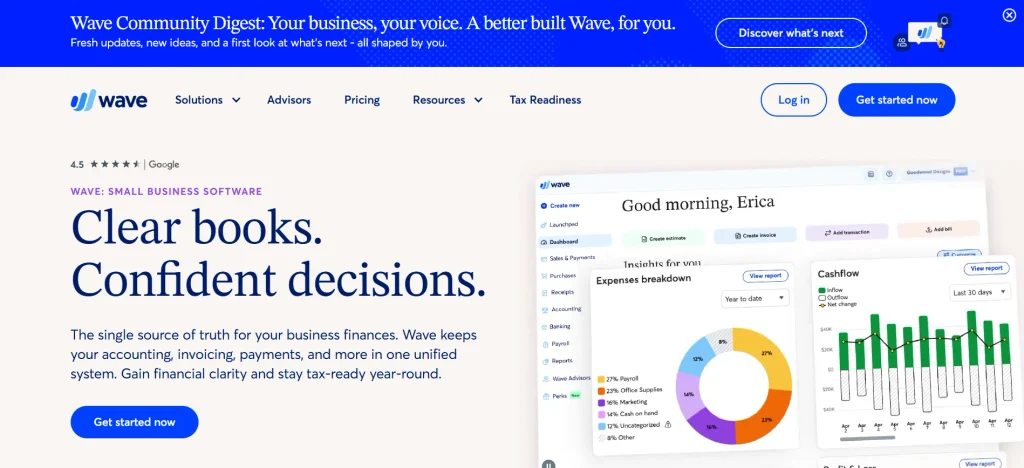
Wave is an accounting platform designed for freelancers, independent professionals, entrepreneurs, and small businesses looking for accessible accounting software for small businesses. It provides essential accounting tools, including invoicing, income and expense tracking, financial reporting, and receipt management. Businesses can create professional invoices, monitor customer payments, and organize financial transactions through a centralized dashboard.
Wave also offers bank transaction imports and reconciliation features, depending on the available plan and location. Its paid services include additional capabilities such as payroll and payment processing in supported regions. The platform is particularly attractive to businesses with straightforward accounting requirements that want to minimize software expenses while maintaining organized financial records.
Key features
- Professional invoice creation and management.
- Income and expense tracking.
- Receipt scanning and digital record management.
- Bank transaction imports and reconciliation.
- Financial reports and payment tracking.
Pros
- Free accounting option available.
- Simple interface suitable for beginners.
- Useful invoicing capabilities.
- Suitable for freelancers and micro-businesses.
Cons
- Limited advanced accounting functionality.
- Payroll availability varies by location.
- Customer support options are limited on free plans.
- Not ideal for complex inventory and project management.
Pricing
- Starter: $0/month.
- Pro: $19/month, billed monthly.
- Wave Advisors: Starting at $149/month.
6. Sage 50 Accounting
Website: https://www.sage.com/en-us/products/sage-50/pricing/
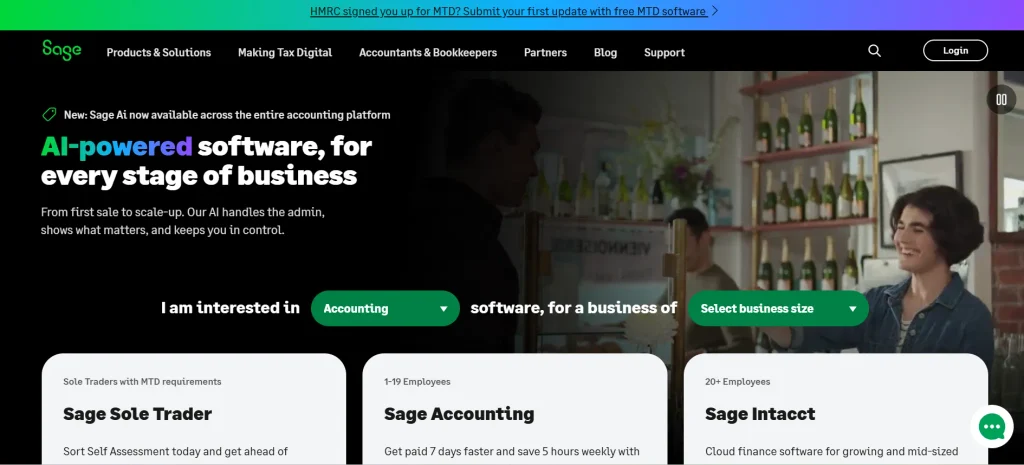
Sage 50 Accounting is accounting software designed for small businesses that require detailed financial management, bookkeeping, and reporting capabilities. Formerly known as Peachtree, it offers tools for managing accounts payable, accounts receivable, general ledgers, inventory, and business expenses. The software also supports job costing, purchase order management, budgeting, and financial reporting, making it useful for businesses with more detailed accounting requirements.
Its inventory features help businesses monitor stock levels, manage product costs, and track purchasing activities. Sage 50 also provides audit trails and accounting controls to support accurate financial recordkeeping. It is particularly suitable for businesses that prefer traditional desktop accounting functionality combined with selected connected services.
Key features
- General ledger and double-entry bookkeeping.
- Accounts payable and receivable management.
- Inventory tracking and purchase order management.
- Job costing and budgeting tools.
- Detailed financial reporting and audit trails.
Pros
- Comprehensive accounting functionality.
- Strong inventory and job costing features.
- Useful financial controls and audit trails.
- Suitable for businesses with detailed bookkeeping requirements.
Cons
- Interface can feel outdated compared with modern cloud platforms.
- Less flexible for remote access than cloud-native alternatives.
- Advanced features may require higher-tier plans.
- Setup and learning can be challenging for beginners.
Pricing
- Pro Accounting: $132.17/month.
- Premium Accounting: $182.50/month.
- Quantum Accounting: $271.17/month.
7. Akaunting

Website: https://akaunting.com/plans
Akaunting is an accounting platform designed for freelancers, entrepreneurs, and small businesses that want greater control over their financial management. It offers tools for creating invoices, tracking expenses, managing customers and vendors, and monitoring business transactions. As an open-source solution, Akaunting provides flexibility for businesses that prefer customizable accounting software and greater control over their data.
Users can manage income, expenses, outstanding invoices, and financial reports through its centralized dashboard. The platform also supports multiple currencies, recurring invoices, and online payment integrations. Businesses can extend its functionality through available applications and integrations. Akaunting can be a suitable option for small organizations looking for flexible accounting software without committing to a traditional enterprise accounting platform.
Key features
- Invoice creation and recurring billing.
- Income and expense tracking.
- Customer and vendor management.
- Multi-currency financial management.
- Financial reporting and application integrations.
Pros
- Open-source software option.
- Flexible customization possibilities.
- Suitable for freelancers and small businesses.
- Supports multiple currencies.
Cons
- Some advanced features require paid applications.
- Setup may require technical knowledge.
- Integration options are more limited than major competitors.
- Customer support options depend on the selected offering.
Pricing
- Standard Cloud: $12/month.
- Premium Cloud: $36/month.
- Elite Cloud: $84/month.
- Ultimate Cloud: $218/month.
8. ZipBooks
Website: https://zipbooks.com/pricing/
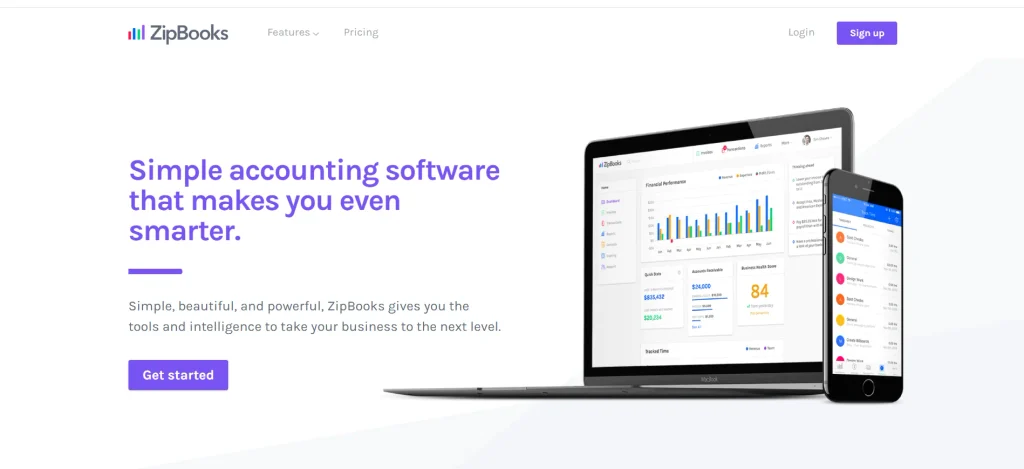
ZipBooks is cloud-based accounting software for small businesses developed to simplify financial management for freelancers, startups, and small businesses. It provides essential tools for invoicing, bookkeeping, expense tracking, and financial reporting. Users can create professional invoices, monitor payment status, and organize customer transactions from a centralized dashboard.
ZipBooks also offers automated bookkeeping features that help businesses categorize transactions and maintain organized financial records. Its financial reporting capabilities provide insights into business performance, profitability, and outstanding payments. The platform has a straightforward interface, making it accessible to entrepreneurs who may not have formal accounting experience. ZipBooks is particularly useful for businesses seeking an uncomplicated accounting solution to manage everyday financial activities and improve bookkeeping efficiency.
Key features
- Customizable invoicing and payment tracking.
- Automated transaction categorization.
- Income and expense management.
- Financial reporting and business insights.
- Time tracking and project profitability monitoring.
Pros
- Beginner-friendly accounting interface.
- Free starter option available.
- Useful invoicing and bookkeeping tools.
- Suitable for freelancers and startups.
Cons
- Limited advanced inventory management.
- Some features require paid subscriptions.
- Fewer integrations than larger competitors.
- Not designed for complex accounting operations.
Pricing
- Starter: Free.
- Smarter: $15/month.
- Sophisticated: $35/month.
- Accountant: Custom pricing.
9. Kashoo
Website: https://kashoo.com/pricing/
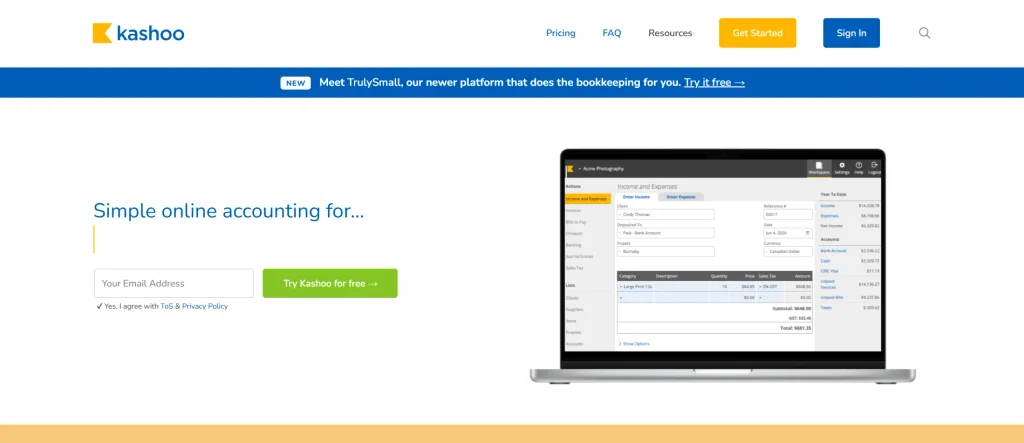
Kashoo is a cloud-based accounting solution designed to help small businesses, independent professionals, and entrepreneurs simplify their bookkeeping activities. It provides essential financial management tools, including income and expense tracking, invoicing, bank reconciliation, and financial reporting.
Kashoo uses automation to organize transactions and reduce the amount of manual data entry required for everyday accounting tasks. Its dashboard allows business owners to review their financial position, monitor cash flow, and maintain organized accounting records. The platform also supports customer and supplier management, helping businesses keep track of invoices and payments. With its straightforward approach to bookkeeping, Kashoo is suitable for business owners who want to manage their finances without dealing with complicated accounting workflows.
Key features
- Automated income and expense categorization.
- Invoice creation and payment tracking.
- Bank feeds and transaction reconciliation.
- Financial statements and reporting.
- Customer and supplier management.
Pros
- Simple accounting experience for small businesses.
- Automated bookkeeping capabilities.
- Useful financial reporting tools.
- Reduces repetitive data entry.
Cons
- Limited advanced inventory management.
- Fewer integrations than major accounting platforms.
- Not suitable for complex multi-entity accounting.
- Availability and plan options may vary by market.
Pricing
- One Simple Plan: $30/month.
10. Patriot Accounting
Website: https://www.patriotsoftware.com/pricing/
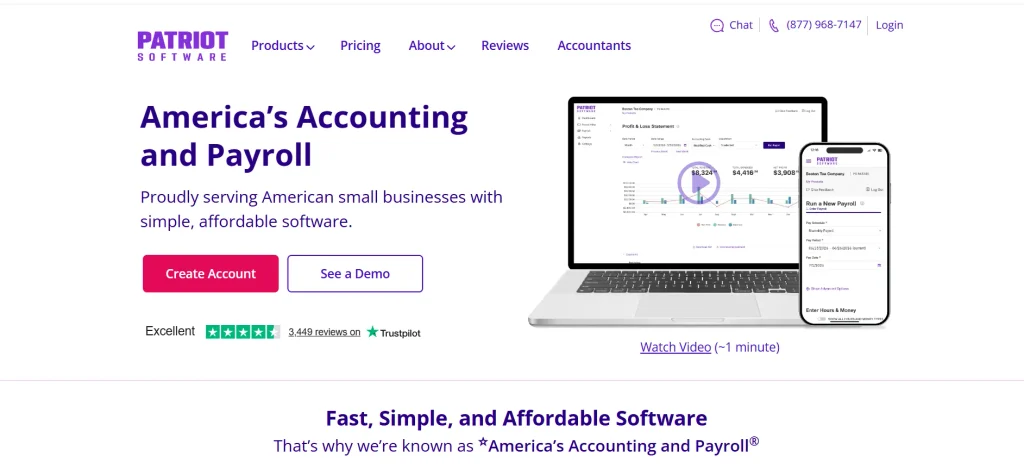
Patriot Accounting is an online accounting solution developed for small businesses that need straightforward tools for managing their financial records. It helps business owners track income and expenses, create invoices, manage vendors, and reconcile bank transactions. Patriot offers accounting functionality designed to simplify everyday bookkeeping while providing financial reports that help businesses understand their financial performance.
Its platform can also connect with Patriot Payroll, allowing eligible businesses to manage accounting and employee payroll activities within the same ecosystem. The software is particularly suitable for small companies that want an affordable and accessible alternative to more complex accounting systems. With its straightforward interface and essential bookkeeping features, Patriot Accounting helps entrepreneurs maintain organized financial information and spend less time on manual accounting tasks.
Key features
- Income and expense tracking.
- Invoicing and customer payment management.
- Bank transaction imports and reconciliation.
- Financial statements and accounting reports.
- Integration with Patriot Payroll.
Pros
- Designed for small business accounting needs.
- Easy-to-understand interface.
- Affordable accounting plans.
- Payroll integration available.
Cons
- Primarily focused on the US market.
- Limited advanced inventory management.
- Fewer third-party integrations than major competitors.
- Advanced accounting requirements may need additional software.
Pricing
- Accounting Basic: $10/month (regularly $20/month).
- Accounting Premium: $15/month (regularly $30/month).
- Bookkeeping Service: Starts at $100/month, plus a one-time onboarding fee.
Comparison Table Of Best Accounting Software For Small Businesses
| Accounting Software | Best For | Key Features | Starting Price | Free Plan |
| QuickBooks Online | Small and growing businesses | Invoicing, expense tracking, bank reconciliation, inventory tracking, financial reporting | ₹199.61/month (introductory price) | No |
| Xero | Growing businesses and finance teams | Bank reconciliation, multi-currency accounting, invoicing, cash flow reporting, integrations | $6.40/month (introductory price) | No |
| FreshBooks | Freelancers and service-based businesses | Invoicing, time tracking, expense management, recurring billing, project tracking | $4.60/month (introductory price) | No |
| Zoho Books | Startups and small businesses | Automated invoicing, bank reconciliation, inventory management, workflow automation, financial reporting | ₹0/month | Yes |
| Wave Accounting | Freelancers and micro-businesses | Invoicing, income and expense tracking, receipt scanning, bank imports, financial reports | $0/month | Yes |
| Sage 50 Accounting | Businesses with detailed accounting needs | General ledger, accounts payable, inventory tracking, job costing, audit trails | $132.17/month | No |
| Akaunting | Freelancers and businesses seeking open-source software | Invoicing, expense tracking, multi-currency support, vendor management, financial reporting | $12/month | No (cloud plans) |
| ZipBooks | Freelancers, startups, and small businesses | Invoicing, transaction categorization, bookkeeping, financial reporting, time tracking | Free | Yes |
| Kashoo | Small businesses and independent professionals | Automated bookkeeping, invoicing, bank reconciliation, financial statements, supplier management | $30/month | No |
| Patriot Accounting | Small businesses needing basic accounting and payroll | Income and expense tracking, invoicing, bank reconciliation, financial reports, payroll integration | $10/month (introductory price) | No |
How To Choose The Best Accounting Software For Your Small Business?
Choosing accounting software isn’t just about finding the cheapest subscription or the platform with the most features. It’s about finding a solution that fits your business operations, makes financial management easier, and supports your future growth. With so many options available, comparing different platforms can feel confusing. Here are some steps to help you make the right decision.
Step 1: Understand Your Business Accounting Requirements
Start by identifying the financial tasks you handle regularly.Do you mainly need to create invoices and track expenses, or do you also manage inventory, payroll, vendor payments, and multiple business accounts? Businesses handling regular supplier transactions may also benefit from using vendor management tools to organize vendor information and payments. For example, a freelancer may only need basic invoicing and expense management, whereas a small retail business might require inventory tracking and GST reporting. Understanding these requirements will help you shortlist software that matches your actual business operations.
Step 2: Set a Realistic Budget
Before investing in accounting software, decide how much your business can comfortably spend each month or year. Many platforms offer free or affordable starter plans, while advanced subscriptions include additional features at higher prices. However, don’t focus only on the subscription fee. Check for additional charges related to extra users, payroll, payment processing, integrations, and customer support. Compare the overall cost with the time and effort the software can save your business.
Step 3: Compare Essential Features
Once you have a budget, compare the features available across different accounting platforms. Prioritize essentials such as invoicing, expense tracking, bank reconciliation, financial reporting, and tax management. If your business handles physical products, inventory management may also be important. Similarly, service-based businesses may benefit more from time tracking and project billing. Make a list of must-have features and use it to compare solutions such as QuickBooks Online, Xero, FreshBooks, and Zoho Books.
Step 4: Check Ease of Use and Accessibility
Accounting software should make your work easier, not introduce another complicated process. Look for a clean dashboard, simple navigation, and an easy-to-understand reporting system. If you don’t have an in-house accountant, choose software that allows non-accounting professionals to perform basic tasks without extensive training. Also, consider whether you need mobile access to create invoices, check payments, or review financial reports while travelling or working remotely.
Step 5: Evaluate Integrations and Automation
Your accounting software should work smoothly with the other tools your business already uses. Check whether it integrates with your banking applications, payment gateways, CRM platforms, payroll software, and e-commerce systems. Automation is equally important because features such as automatic transaction categorization, recurring invoices, payment reminders, and bank reconciliation can significantly reduce manual work. Choosing a platform with suitable integrations can help prevent duplicate data entry and improve overall operational efficiency.
Step 6: Review Security and Customer Support
Financial information includes sensitive business details, so security should never be overlooked. Check whether the software offers data encryption, secure login authentication, regular backups, and role-based access permissions. Along with security, evaluate the quality of customer support. Look for platforms that provide helpful documentation, tutorials, live chat, or responsive email support. Reliable assistance can make a big difference when you encounter technical issues or need help understanding accounting features.
Step 7: Try Free Trials or Request a Product Demo
Before making your final decision, explore the software through a free trial or product demonstration, wherever available. Test everyday activities such as creating an invoice, recording an expense, reconciling a bank transaction, and generating a financial report. This gives you a better understanding of how the platform works in real business situations. You can also involve your accountant or finance team in the evaluation process to collect feedback before purchasing a subscription.
Step 8: Consider Future Business Growth
Finally, think beyond your current accounting requirements. Your business may eventually handle more customers, invoices, employees, transactions, or multiple locations. Choose software that can accommodate these changes without requiring you to migrate to another platform too soon. Check its user limits, transaction capacity, reporting capabilities, and upgrade options. A scalable accounting solution can support your business as it grows while keeping your financial information organized and accessible.
Common Mistakes To Avoid When Choosing Accounting Software For Small Business
Selecting accounting software is an important business decision, but many small business owners rush into purchasing a subscription without properly evaluating their requirements. The wrong platform can create unnecessary expenses, complicate bookkeeping, and make financial management more difficult. To get the most value from your investment, check out for these common mistakes:
- Choosing Software Based Only on Price: Free or inexpensive accounting software may look attractive initially, but it might not include essential features such as inventory tracking, payroll, advanced reporting, or multiple user access. Compare the available functionality with your business requirements instead of making a decision based entirely on subscription costs.
- Ignoring Future Business Requirements: A platform that works well for a startup may not be suitable when the business starts handling hundreds of invoices or managing multiple employees. Consider scalability, transaction limits, and upgrade options before committing to a solution.
- Overlooking Integration Capabilities: Using accounting software that doesn’t connect with your existing business applications can lead to duplicate data entry and inconsistent financial records. Always check whether the platform integrates with your banking services, CRM, payment gateways, and other essential tools.
- Not Checking Tax and Compliance Features: Tax requirements vary depending on your business location and industry. For businesses operating in India, features such as GST-compliant invoicing, tax calculations, and relevant financial reports can be particularly important. Make sure the software supports your applicable compliance requirements.
- Skipping the Free Trial or Demo: Purchasing software without testing it can result in usability problems later. Explore the dashboard, test common accounting activities, and check whether your team can comfortably use the platform.
- Neglecting Data Security: Financial records contain confidential business information. Choosing software without checking its security measures, backup policies, and user access controls can expose your business to unnecessary risks.
Conclusion
Choosing the right accounting software for small businesses can make financial management simpler, faster, and more organized. From creating invoices and tracking expenses to managing cash flow, preparing tax records, and generating financial reports, the right platform can reduce manual work and help you make better business decisions. Solutions such as QuickBooks Online, Xero, FreshBooks, Zoho Books, and Wave offer different capabilities depending on your business size, budget, and accounting requirements.
Before making a final decision, compare their features, pricing, integrations, security, and scalability. If you’re running a startup, freelancing business, or growing company, prioritize software that meets your current needs while leaving room for future expansion. Ultimately, the best accounting software is one that saves valuable time, improves financial accuracy, and allows you to focus more on growing your business.
Frequently Asked Questions
1. What Is The Best Small Business Accounting Software?
QuickBooks Online, Xero, Zoho Books, and FreshBooks are popular options, depending on your business requirements and budget.
2. Is There Any Free Small Business Accounting Software?
Yes, Wave and Zoho Books offer free accounting options in supported markets, with certain feature limitations.
3. What Features Should Small Business Accounting Software Include?
Essential features include invoicing, expense tracking, bank reconciliation, financial reporting, tax management, and cash flow monitoring.
4. Is Cloud-Based Accounting Software Better For Small Businesses?
Cloud-based accounting software offers remote access, automatic updates, online data management, and easier collaboration with accountants.
5. Can Accounting Software Help Small Businesses Manage Taxes?
Yes, accounting software helps organize financial transactions, calculate applicable taxes, generate reports, and maintain records for tax preparation.