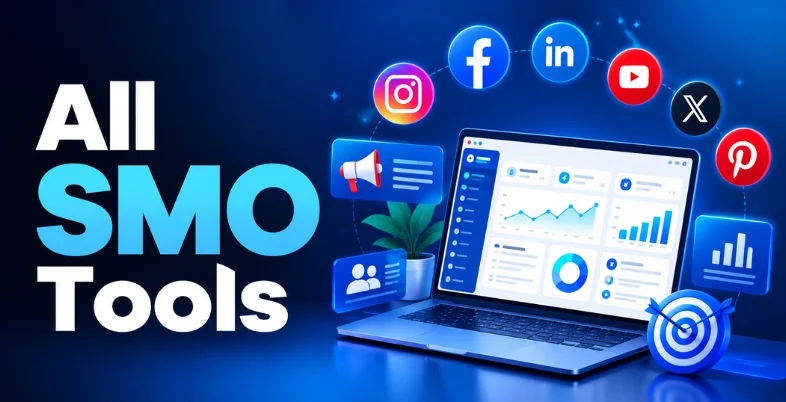
Managing social media is no longer just about posting attractive pictures or sharing occasional updates. Businesses need to create engaging content, maintain consistent publishing schedules, understand audience behavior, and track what actually drives growth. But handling Instagram, Facebook, LinkedIn, TikTok, and other platforms separately can quickly become time-consuming. This is where Social Media Monitoring tools make a difference.
The right SMO tools help simplify everyday marketing tasks, from scheduling posts and managing conversations to analyzing performance and automating repetitive activities. Whether you are a content creator, small business owner, or marketing professional, these platforms can help you organize your social media strategy more efficiently.
However, every tool offers different features, pricing structures, and capabilities. In this guide, we will explore the best all SMO tools for social media management and growth, including their key features, pros, cons, pricing, and ideal use cases, so you can understand which solutions fit your requirements.
What Is SMO (Social Media Optimization)?
Social Media Optimization (SMO) is the process of improving your social media profiles, content, and activities to increase brand visibility, audience engagement, and traffic. It involves using different strategies to make your content easier to discover, encourage people to interact with your brand, and build a consistent presence across platforms like Instagram, Facebook, LinkedIn, and YouTube.
Think of SMO as optimizing your social media presence in the same way SEO improves your website’s visibility in search engines. Instead of focusing only on publishing posts, SMO looks at how your content performs, how audiences respond, and how effectively your social channels support business goals.
For example, imagine you run a skincare brand. Simply uploading product photos may not generate meaningful engagement. With SMO, you can:
Optimize your profile: Use relevant keywords in your bio, a clear brand description, and a direct website link.
- Create engaging content: Share skincare tips, product demonstrations, customer reviews, and short videos.
- Use relevant hashtags and keywords: Help interested users discover your posts.
- Encourage interaction: Ask questions, respond to comments, and use polls or Stories.
- Track performance: Monitor reach, saves, shares, clicks, and engagement to understand what your audience prefers.
The goal of SMO is not just to gain followers but to build meaningful relationships with your audience and turn social media activity into measurable outcomes, such as website visits, inquiries, leads, and sales.
Why SMO is Crucial in 2026 for Brands, Creators, and Businesses
Social media is no longer just a platform for sharing updates. It plays an important role in brand discovery, customer communication, content distribution, and business growth. Here are six reasons why SMO matters:
- Improves Brand Visibility: SMO helps brands make their content more discoverable through optimized profiles, relevant keywords, hashtags, and engaging posts. For example, a local café sharing location-based content can reach people searching for nearby food options.
- Builds Audience Engagement: Consistent and relevant content encourages users to comment, share, save, and interact with your brand. These interactions help businesses understand audience interests and develop stronger customer relationships.
- Supports Organic Reach: With a well-planned content strategy, brands can attract attention without depending entirely on paid advertisements. Educational posts, short-form videos, and user-generated content can help expand organic visibility.
- Strengthens Brand Credibility: An active social media presence with useful content, customer feedback, and timely responses helps establish trust. For instance, a skincare brand sharing product demonstrations and answering customer questions can help people make informed purchasing decisions.
- Generates Website Traffic and Leads: SMO connects social media activity with business goals by directing interested users toward websites, product pages, landing pages, or inquiry forms. This makes social platforms useful for generating potential customers.
- Provides Measurable Performance Insights: Social media analytics help brands track reach, engagement, clicks, follower growth, and conversions. These insights allow marketers and creators to identify what resonates with their audience and adjust their content strategy accordingly.
Comparison of Best SMO Tools
| Tool | Category | Free Plan | Pricing | Best For |
| Hootsuite | Social Media Management | No | ₹1,999–₹7,999/month; Enterprise: Custom | Businesses, agencies, and marketing teams |
| Sprout Social | Social Media Management | No | $199–$399/month; Enterprise: Custom | Enterprises, established brands, and agencies |
| Zoho Social | Social Media Management | Yes | ₹0–₹2,595/month | Startups and small businesses |
| Buffer | Social Media Scheduling | Yes | Free; $5–$10/month | Creators, freelancers, and small businesses |
| Later | Social Media Scheduling | No | $18.75–$82.50/month | Influencers, creators, and e-commerce brands |
| SocialBee | Social Media Scheduling | No | $24.92–$82.50/month | Small businesses, consultants, and agencies |
| Planable | Social Media Scheduling | Yes (First 50 posts) | $33–$49/month per workspace; Enterprise: Custom | Agencies and collaborative marketing teams |
| Brandwatch | Social Media Analytics | No | Custom pricing | Enterprise brands and market researchers |
| Rival IQ | Social Media Analytics | No | $239–$559/month | Brands tracking competitors |
| Keyhole | Social Media Analytics | No | Custom pricing | Influencer marketers and campaign managers |
| Manychat | Social Media Automation | Yes | Free; $14–$139/month | E-commerce, creators, and lead generation teams |
| Canva | Content & Design | Yes | ₹0–₹6,800/year per person | Social media managers and content creators |
| Adobe Express | Content & Design | Yes | ₹0–₹1,596.54/month | Creators, small businesses, and marketing teams |
List of Best SMO Tools
A) Social Media Management Tools
1. Hootsuite

- Website: hootsuite.com
- Supported Platforms: Instagram, Facebook, LinkedIn, X, Pinterest, YouTube, TikTok
- USP: Centralized social media management with publishing, engagement, monitoring, and analytics.
- Best For: Businesses, marketing agencies, and teams managing multiple social media accounts.
Hootsuite is a comprehensive social media management platform that helps businesses manage their social media activities from one dashboard. It allows users to schedule posts, monitor conversations, respond to messages, and analyze campaign performance across multiple networks. Instead of switching between different platforms, marketers can coordinate their publishing schedules and engagement activities in one place.
Hootsuite also supports team collaboration, content approvals, and social listening, making it useful for organizations handling multiple campaigns. Its analytics help businesses understand audience engagement, content performance, and social media trends. Whether you are managing a growing brand or handling several client accounts, Hootsuite provides tools to organize workflows, maintain consistency, and track social media marketing efforts.
Key Features
- Multi-platform content scheduling and publishing.
- Unified social inbox for messages and comments.
- Social listening and brand monitoring.
- Performance analytics and reporting.
- Team collaboration and approval workflows.
Pros
- Supports multiple social media platforms.
- Centralizes publishing and engagement activities.
- Offers detailed analytics and reporting.
- Suitable for managing multiple accounts.
Cons
- Premium plans can be expensive.
- Beginners may need time to learn the interface.
- Some advanced features require higher-tier plans.
- Certain platform integrations have limitations.
Pricing
- Standard: ₹1999/ month
- Professional: ₹3999/month
- Advanced: ₹7999/month
- Enterprise: Custom pricing
2. Sprout Social
- Website: sproutsocial.com
- Supported Platforms: Instagram, Facebook, LinkedIn, X, Pinterest, TikTok, YouTube
- USP: Advanced social media analytics, customer engagement, and team management.
- Best For: Enterprises, established brands, and agencies.
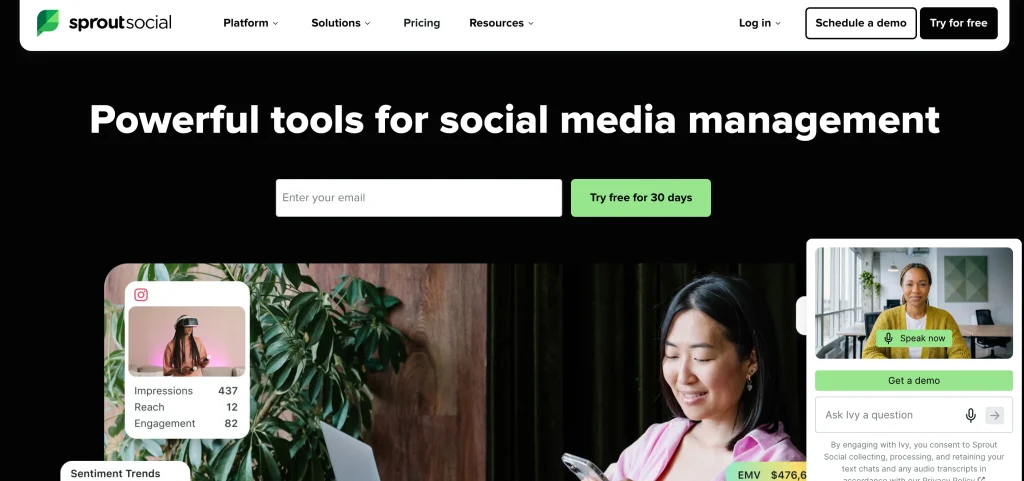
Sprout Social is one of the all SMO tools designed to help businesses improve audience engagement and measure social media marketing performance. It combines publishing, analytics, social listening, and customer communication tools within a centralized dashboard. Its Smart Inbox enables teams to manage messages, comments, and mentions while assigning conversations to relevant team members. Businesses can also use its reporting features to understand engagement trends, audience growth, and campaign effectiveness.
Sprout Social supports structured workflows, making it suitable for marketing departments that require collaboration and approval processes. Its social CRM capabilities help teams maintain customer interaction histories and improve communication. For brands that need organized social media operations and detailed performance insights, Sprout Social provides an integrated solution.
Key Features
- Smart Inbox for centralized communication.
- Social media publishing and scheduling.
- Advanced analytics and competitor reporting.
- Social listening and sentiment analysis.
- Team workflows and task assignment.
Pros
- Detailed reporting and analytics.
- Strong social inbox functionality.
- Supports team collaboration.
- Useful customer engagement features.
Cons
- Higher pricing than many alternatives.
- May be complex for individual creators.
- Advanced features require premium subscriptions.
- Not ideal for businesses with very limited budgets.
Pricing
- Standard: $199/month
- Professional: $299/month
- Advanced: $399/month
- Enterprise: Custom pricing
3. Zoho Social

- Website: https://www.zoho.com
- Supported Platforms: Instagram, Facebook, LinkedIn, X, Pinterest, YouTube, Google Business Profile
- USP: Affordable social media management with integration into the Zoho business ecosystem.
- Best For: Startups, small businesses, SMBs, and growing marketing teams.
Zoho Social is a social media management platform that helps businesses schedule content, monitor engagement, and analyze social media performance. It provides a centralized dashboard where users can manage multiple social profiles without switching between different applications. Its publishing calendar helps marketers organize upcoming campaigns, while monitoring features track brand mentions and audience conversations.
Zoho Social also integrates with other Zoho applications, including Zoho CRM, allowing businesses to connect social media activities with customer management workflows. Its analytics provide insights into post performance, audience engagement, and social media growth. With collaboration features and flexible plans, Zoho Social supports businesses looking to manage social media efficiently while maintaining control over their marketing budget.
Key Features
- Multi-platform post scheduling.
- Visual content calendar.
- Brand monitoring and keyword tracking.
- Custom analytics reports.
- Zoho CRM integration and team collaboration.
Pros
- Affordable plans for small businesses.
- Easy-to-use interface.
- Strong integration with Zoho applications.
- Useful scheduling and reporting tools.
Cons
- Some advanced features are limited to higher plans.
- Social listening capabilities are less extensive than enterprise platforms.
- Certain integrations may require additional setup.
- Reporting customization can be limited for complex needs.
Pricing
- Free: ₹0/month
- Standard: ₹600/month
- Professional: ₹1,725/month
- Premium: ₹2,595/month
B) Social Media Scheduling Tools
4. Buffer

- Website: https://buffer.com/pricing
- Supported Platforms: Instagram, Facebook, LinkedIn, X, Pinterest, TikTok, YouTube, Threads, Mastodon, Google Business Profile
- USP: Simple content scheduling with an easy-to-use publishing calendar.
- Best For: Content creators, freelancers, startups, and small businesses.
Buffer is a popular option among all SMO tools that helps individuals and businesses plan, publish, and analyze social media content without managing each network separately. Its clean interface makes it easy to create posts, organize publishing schedules, and maintain consistency across multiple platforms. Users can prepare content in advance, customize posts for different networks, and monitor engagement through built-in analytics.
Buffer also provides tools for managing comments, organizing ideas, and collaborating with team members. Its AI assistant helps generate captions and improve social media content. Unlike complex enterprise platforms, Buffer focuses on simplicity and efficient publishing. It is particularly useful for creators and small teams that want to maintain an active social presence without spending excessive time on daily posting activities.
Key Features
- Multi-platform post scheduling.
- Visual content calendar.
- AI-powered content assistance.
- Engagement and performance analytics.
- Content ideas and team collaboration.
Pros
- Beginner-friendly interface.
- Affordable entry-level pricing.
- Supports multiple social networks.
- Useful content planning features.
Cons
- Advanced analytics are limited on lower plans.
- Social listening features are limited.
- Some collaboration features require paid plans.
- Not designed for complex enterprise workflows.
Pricing
- Free: $0/month (Forever)
- Essentials: $5/month (Billed $60 annually)
- Team: $10/month (Billed $120 annually)
5. Later

- Website: https://app.later.com/plans/
- Supported Platforms: Instagram, Facebook, TikTok, Pinterest, LinkedIn, YouTube, Threads
- USP: Visual content planning and scheduling for image- and video-focused social media strategies.
- Best For: Influencers, lifestyle brands, creators, and e-commerce businesses.
Later is a social media scheduling platform designed to help brands and creators plan visually appealing content and maintain consistent publishing schedules. Its visual planner allows users to preview how posts will appear on their social media profiles before publishing. This is particularly useful for Instagram-focused brands that want a consistent visual identity. Later also supports scheduling for short-form videos, Stories, and other social formats, depending on platform capabilities.
Its analytics provide insights into engagement, audience activity, and content performance. Additional tools support link-in-bio management, content organization, and creator marketing workflows. By combining visual planning with publishing and analytics, Later helps businesses organize their content strategy and manage social media campaigns more efficiently.
Key Features
- Visual content calendar.
- Multi-platform post scheduling.
- Instagram feed planning.
- Link-in-bio management.
- Social media analytics.
Pros
- Strong visual planning capabilities.
- Useful for Instagram-focused strategies.
- Supports content scheduling.
- Helps maintain consistent branding.
Cons
- Advanced features require paid plans.
- Analytics vary by subscription.
- Less suitable for advanced enterprise social listening.
- Pricing may increase with additional users and features.
Pricing
- Starter: $18.75/month
- Growth: $37.50/month
- Scale: $82.50/month
6. SocialBee
- Website: https://socialbee.com/pricing/
- Supported Platforms: Instagram, Facebook, LinkedIn, X, Pinterest, TikTok, YouTube, Google Business Profile
- USP: Category-based scheduling and evergreen content recycling.
- Best For: Small businesses, creators, consultants, and marketing agencies.
SocialBee is one of the all SMO tools that helps businesses organize content into categories and automate social media publishing. Instead of repeatedly creating new posts, users can build content libraries and schedule evergreen posts to be shared again according to their selected settings. This makes it useful for brands that want to maintain a consistent posting schedule while reducing content creation pressure.
SocialBee also offers AI-assisted caption generation, hashtag suggestions, and content planning tools. Its visual calendar provides an overview of upcoming posts, while analytics help users monitor engagement and audience growth. Team collaboration and integrations with creative applications further support daily marketing operations. For businesses that regularly publish educational, promotional, and evergreen content, SocialBee provides an organized approach to social media scheduling.
Key Features
- Category-based content scheduling.
- Evergreen content recycling.
- AI caption and hashtag assistance.
- Social media analytics.
- Team collaboration and integrations.
Pros
- Saves time through content recycling.
- Supports organized publishing workflows.
- Useful AI content assistance.
- Offers plans for agencies and businesses.
Cons
- Interface may require initial learning.
- Advanced features are available on higher plans.
- Social listening is limited.
- Content recycling may require manual customization for different platforms.
Pricing
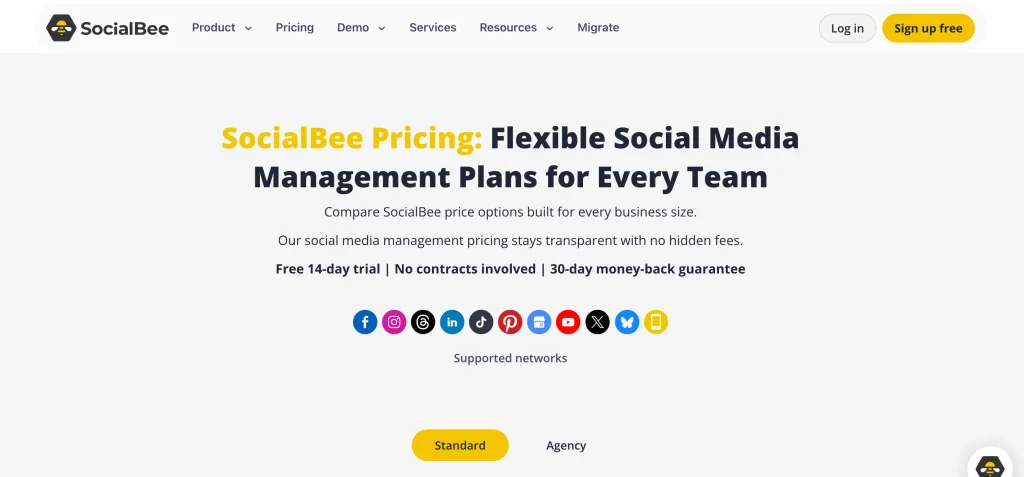
- Bootstrap: $24.92/month
- Accelerate: $40.83/month
- Pro: $82.50/month
7. Planable

- Website: https://planable.io/pricing/
- Supported Platforms: Instagram, Facebook, LinkedIn, X, TikTok, YouTube, Pinterest, Google Business Profile
- USP: Collaborative content planning with visual previews and approval workflows.
- Best For: Agencies, marketing teams, and businesses with multiple content stakeholders.
Planable is a social media collaboration and scheduling platform that helps marketing teams create, review, approve, and publish content efficiently. Its visual workspace allows users to preview posts before publishing, making it easier to maintain brand consistency across social media channels. Teams can leave comments, suggest edits, and manage approval stages without relying on lengthy email conversations.
Planable also offers content calendars, scheduling tools, and support for multiple social media accounts. Agencies can use separate workspaces to organize different clients and campaigns. Its collaboration-focused design makes it particularly useful for businesses where content must be reviewed by managers, clients, or other stakeholders before going live. Planable helps reduce publishing errors while keeping social media workflows organized.
Key Features
- Visual content calendar.
- Multi-level approval workflows.
- Real-time collaboration and comments.
- Post previews for different platforms.
- Scheduling and publishing management.
Pros
- Excellent collaboration features.
- Simplifies content approvals.
- Helps maintain brand consistency.
- Useful for agency-client workflows.
Cons
- Advanced analytics are limited compared with specialist tools.
- Some features require paid subscriptions.
- Can be expensive for larger teams.
- Not primarily designed for social listening.
Pricing
- Basic: $33/month per workspace
- Pro: $49/month per workspace
- Enterprise: Custom pricing
Also Read:
C) Social Media Analytics Tools
8. Brandwatch
- Website: brandwatch.com
- Supported Platforms: Instagram, Facebook, X, YouTube, TikTok, Reddit, blogs, forums, news websites
- USP: AI-powered consumer intelligence and advanced social listening.
- Best For: Enterprise brands, market researchers, and large marketing agencies.
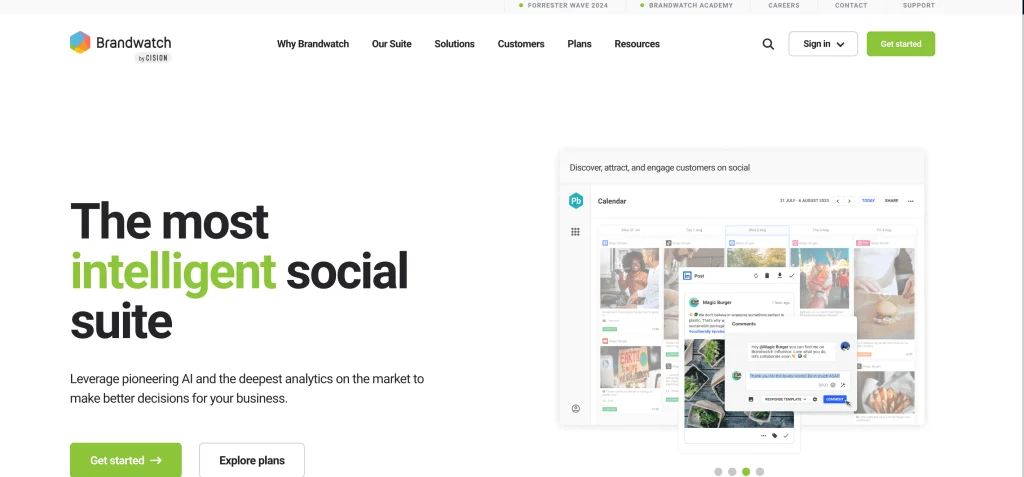
Brandwatch is a social intelligence platform included among all SMO tools that helps businesses understand online conversations, audience sentiment, and brand perception. It collects and analyzes data from social media platforms, online publications, blogs, and forums to provide insights into customer opinions and emerging trends. Businesses can monitor brand mentions, compare competitors, identify influencers, and understand how audiences respond to campaigns.
Its analytics dashboards help marketing teams transform large volumes of social data into actionable information. Brandwatch also supports reputation monitoring and consumer research, allowing organizations to identify changes in customer discussions. Unlike basic social media analytics tools, it focuses heavily on understanding what people are saying about brands and industries. This makes it useful for strategic marketing decisions and market intelligence.
Key Features
- AI-powered sentiment analysis.
- Social listening and brand monitoring.
- Competitor benchmarking.
- Consumer trend discovery.
- Custom analytics dashboards.
Pros
- Provides extensive consumer insights.
- Supports advanced brand monitoring.
- Useful for competitor research.
- Offers detailed analytics capabilities.
Cons
- Pricing is generally higher.
- May be complex for beginners.
- Not primarily focused on content publishing.
- Custom enterprise solutions may require onboarding.
Pricing
Custom pricing based on business requirements.
9. Rival IQ
- Website: https://www.rivaliq.com/pricing/
- Supported Platforms: Instagram, Facebook, LinkedIn, X, TikTok, YouTube
- USP: Competitor benchmarking and comparative social media performance analytics.
- Best For: Marketing teams, agencies, and brands tracking competitors.
Rival IQ is a social media analytics platform that helps businesses measure their performance against competitors and industry benchmarks. It tracks engagement, follower growth, posting frequency, and content performance across supported social media networks. Marketers can identify which content formats receive attention, compare campaign results, and monitor changes in competitor strategies. The platform also offers automated reports and alerts to highlight important performance changes.
Its competitive analysis features help businesses understand their relative social media activity without manually reviewing multiple competitor profiles. Rival IQ is especially useful for marketing teams that want to evaluate their content strategy using measurable data. By combining analytics with competitor intelligence, it helps organizations identify patterns and refine their social media planning.
Key Features
- Competitor benchmarking.
- Social media engagement analytics.
- Hashtag performance tracking.
- Automated reporting.
- Competitive activity alerts.
Pros
- Strong competitor analysis capabilities.
- Useful engagement comparisons.
- Automated performance reports.
- Helps identify content trends.
Cons
- Limited publishing functionality.
- Paid plans may be costly for smaller teams.
- Advanced reports require familiarity with analytics.
- Not a complete social media management solution.
Pricing
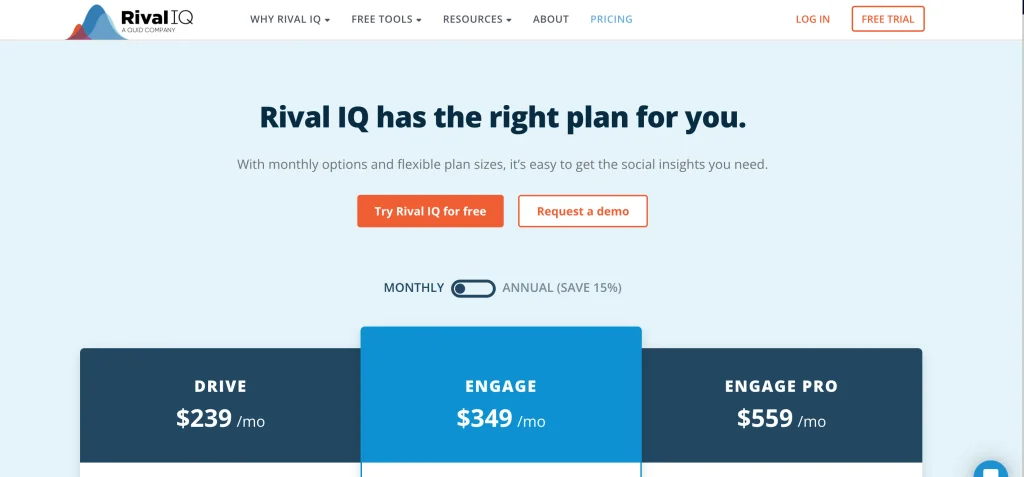
- Drive: $239/month
- Engage: $349/month
- Engage Pro: $559/month
10. Keyhole
- Website: https://keyhole.co/select-plan/
- Supported Platforms: Instagram, Facebook, X, TikTok, YouTube, LinkedIn
- USP: Hashtag tracking, campaign measurement, and real-time social analytics.
- Best For: Influencer marketers, campaign managers, and brands running hashtag campaigns.
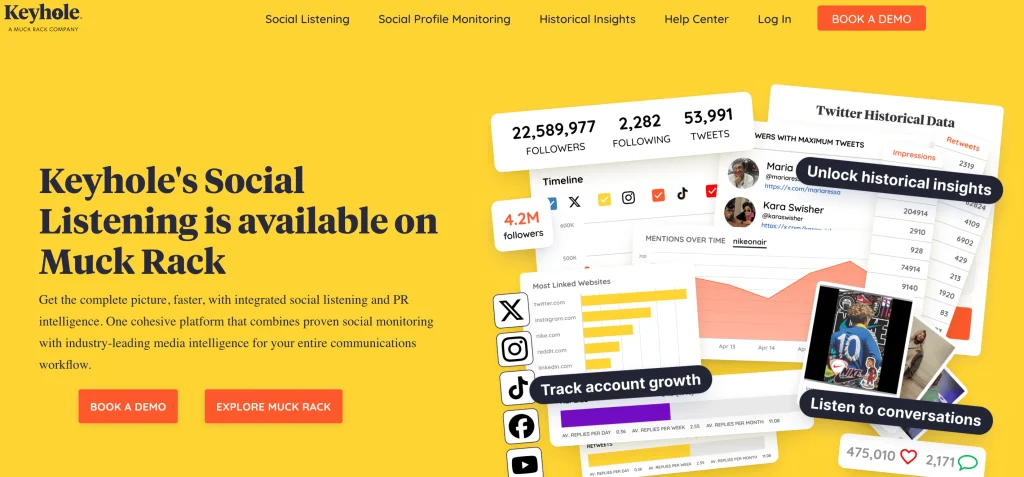
Keyhole is a social media analytics and monitoring platform among all SMO tools that helps businesses measure campaign performance and understand audience conversations. It offers hashtag tracking, keyword monitoring, influencer analytics, and engagement measurement across supported networks. Marketers can use its dashboards to monitor campaign reach, impressions, mentions, and audience activity. Its reporting features help businesses evaluate the performance of promotional campaigns and identify content that generates engagement.
Keyhole also supports competitor tracking and social listening, allowing teams to understand how their brand performs in comparison with others. By collecting campaign data in one place, the platform reduces the need for manual reporting and helps marketers assess their social media activities more systematically. It is particularly relevant for brands that frequently run hashtag-driven campaigns.
Key Features
- Hashtag tracking.
- Campaign performance analytics.
- Influencer monitoring.
- Competitor analysis tools
- Automated reporting.
Pros
- Useful hashtag analytics.
- Supports campaign measurement.
- Helps monitor influencer activity.
- Provides centralized reporting.
Cons
- Pricing may be high for individual users.
- Features vary by subscription.
- Not primarily a content creation platform.
- Some social network data is subject to API restrictions.
Pricing
Custom pricing depending on requirements.
D) Social Media Automation Tools
11. Manychat
- Website: https://manychat.com/pricing
- Supported Platforms: Instagram, Facebook Messenger, WhatsApp, TikTok
- USP: Automated conversations, lead capture, and messaging workflows.
- Best For: E-commerce businesses, creators, service providers, and lead generation teams.
Manychat is a social messaging automation platform that helps businesses communicate with audiences through automated conversations. It enables brands to create workflows that respond to messages, deliver information, collect leads, and guide customers toward specific actions. Businesses can automate replies to frequently asked questions, send follow-up messages, and organize customer interactions without manually responding to every inquiry.
Its visual automation builder makes it possible to create conversation flows based on user actions and selected triggers. Manychat also supports integrations with marketing and business applications, helping teams connect messaging activity with their broader workflows. For businesses that receive regular social media inquiries, Manychat can reduce response time and organize communication. It is particularly useful for turning social engagement into structured customer conversations.
Key Features
- Automated messaging workflows.
- Instagram comment-to-DM automation.
- Lead capture and segmentation.
- Visual chatbot builder.
- Third-party integrations.
Pros
- Reduces repetitive messaging tasks.
- Helps capture leads from social platforms.
- Visual workflow builder is accessible.
- Supports automated customer interactions.
Cons
- Advanced automation may require technical understanding.
- Pricing can increase with contact volume.
- Platform-specific messaging restrictions apply.
- Not a complete social media analytics solution.
Pricing
- Free: $0/month
- Essential: $14/month (Billed annually)
- Pro: $29/month (Billed annually)
- Business: $69/month (Billed annually)
- Advanced: $139/month (Billed annually)
E) Social Media Content & Design Tools
12. Canva
- Website: https://www.canva.com
- Supported Platforms: Instagram, Facebook, LinkedIn, Pinterest, YouTube, TikTok, and other social media channels
- USP: Ready-to-use templates and easy visual content creation without advanced design skills.
- Best For: Social media managers, creators, startups, and marketing teams.
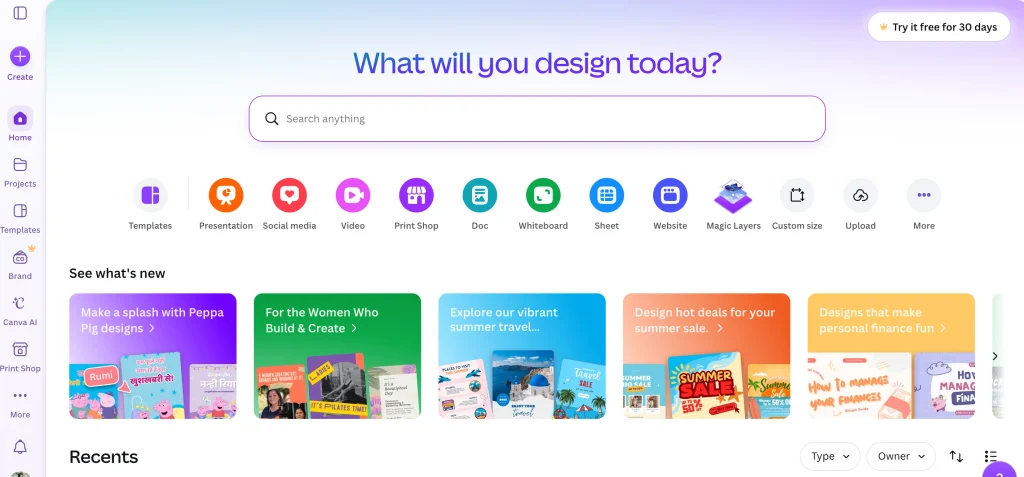
Canva is a graphic design and content creation platform that stands out among all SMO tools for helping businesses produce professional-looking social media content without requiring advanced design expertise. It offers thousands of templates for posts, Stories, Reels covers, advertisements, presentations, and promotional graphics. Users can customize layouts, fonts, colors, images, and brand elements to maintain a consistent visual identity.
Canva also includes AI-powered design tools, background removal, image editing, and video creation capabilities. Its Brand Kit helps businesses store logos, fonts, and colors for repeated use. Teams can collaborate on designs, share folders, and manage creative projects. With its built-in content scheduling options, Canva also supports publishing workflows. It is useful for businesses that want to create attractive social media content quickly and consistently.
Key Features
- Thousands of social media templates.
- Brand Kit and brand controls.
- AI-powered design assistance.
- Image and video editing softwares
- Content scheduling and team collaboration.
Pros
- Beginner-friendly design interface.
- Large template library.
- Supports multiple content formats.
- Useful for maintaining brand consistency.
Cons
- Premium elements require a subscription.
- Advanced design customization has limitations.
- Some AI features have usage restrictions.
- Not a replacement for advanced professional design software.
Pricing
- Free: ₹0/year
- Pro Lite: ₹1,590/year
- Pro: ₹4,000/year
- Business: ₹6,800/year per person
13. Adobe Express
- Website: adobe.com/express
- Supported Platforms: Instagram, Facebook, LinkedIn, Pinterest, TikTok, YouTube
- USP: Template-based design combined with Adobe creative technology and AI tools.
- Best For: Content creators, small businesses, marketing professionals, and design teams.
Adobe Express is a creative content platform that helps businesses design social media graphics, videos, promotional materials, and branded content. It combines ready-made templates with Adobe’s editing technology, allowing users to create visual content without working through complex professional design applications. Its AI-powered features support image generation, background removal, text effects, and creative editing. Businesses can use brand kits to maintain consistent colors, fonts, and visual identity across campaigns.
Adobe Express also supports collaboration and content resizing for different social media formats. Its integration with the wider Adobe ecosystem makes it useful for teams that already use Adobe creative applications. For marketers who need attractive designs and quick content production, Adobe Express provides an accessible creative workflow.
Key Features
- Social media design templates.
- AI-powered image and text tools.
- Brand kits and asset management.
- Video creation and editing.
- Content resizing and collaboration.
Pros
- Easy-to-use creative interface.
- Useful AI design capabilities.
- Supports multiple content formats.
- Integrates with Adobe applications.
Cons
- Some premium assets require payment.
- Advanced editing may require other Adobe tools.
- AI usage limits may apply.
- Template customization can be restrictive for complex designs.
Pricing
- Free: ₹0/month
- Premium: ₹398.84/month
- Firefly Pro: ₹1,596.54/month
Key Features to Look for in an SMO Tool
Choosing an SMO tool becomes easier when you know which features can simplify your daily social media activities. Instead of paying for unnecessary functions, focus on tools that support your content strategy, audience engagement, and marketing goals.
- Multi-Platform Scheduling and Publishing: Look for a tool that allows you to schedule and publish posts across multiple social media platforms from one dashboard. For example, you can plan Instagram, Facebook, and LinkedIn posts for the entire week without logging into each account separately.
- Content Calendar: A visual content calendar helps you organize upcoming posts, campaigns, and publishing dates. It is particularly useful for marketing teams managing seasonal promotions, product launches, or multiple brand accounts.
- Social Media Analytics and Reporting: Analytics features help you track engagement, reach, impressions, follower growth, and post performance. These insights show which content formats and topics are connecting with your audience.
- Social Inbox and Engagement Management: A unified inbox brings comments, messages, and mentions into one place. This makes it easier to respond to customer queries, manage conversations, and avoid missing important interactions.
- Automation and AI Assistance: AI-powered caption suggestions, hashtag recommendations, automated replies, and repetitive task automation can reduce manual work. For instance, a business can automate responses to frequently asked questions while focusing on more detailed customer inquiries.
- Team Collaboration and Approval Workflows: If multiple people manage your social media accounts, look for features such as role-based access, content approvals, shared calendars, and task assignments. These capabilities help maintain brand consistency and reduce publishing errors.
How to Choose the Best SMO Tool
Choosing the right SMO tool is not just about finding a platform with the most features. It is about understanding your social media goals, daily workflow, team requirements, and budget. Here is a step-by-step approach to help you make a suitable choice.
Step 1: Identify Your Social Media Goals
Start by asking yourself what you want to achieve through social media. Are you trying to increase brand awareness, generate leads, improve engagement, schedule content, or understand competitor performance? For example, if your primary goal is to maintain consistent posting, a scheduling-focused tool may meet your needs. However, if you want to measure campaign performance, prioritize platforms with detailed analytics and reporting.
Step 2: Check Supported Social Media Platforms
Not every SMO tool supports all social networks or offers the same functionality across them. Make a list of the platforms you actively use, such as Instagram, Facebook, LinkedIn, TikTok, or YouTube, and check whether the tool supports them. Also, review whether it allows you to schedule different content formats, manage comments, and monitor performance on those channels.
Step 3: Evaluate Features Based on Your Workflow
Once you know your requirements, compare the features that can simplify your everyday activities. Look for content scheduling, visual calendars, unified inboxes, analytics, automation, and collaboration tools. For instance, a marketing agency managing multiple clients may need approval workflows and separate workspaces, while an individual creator may mainly require post scheduling and content planning.
Step 4: Compare Pricing and Free Plans
Your budget should match the features and usage limits offered by the platform. Some tools provide free plans with limited social accounts or scheduled posts, while paid subscriptions unlock advanced analytics, automation, and team access. Before purchasing, check whether pricing is charged per user, social account, workspace, or contact volume. Also, consider whether the tool offers a free trial so you can test its functionality before committing.
Step 5: Test Ease of Use and Integrations
A tool may offer advanced capabilities, but it should also be easy for your team to understand and use regularly. Explore its dashboard, content calendar, reporting interface, and mobile accessibility. Check whether it integrates with applications you already use, such as Canva, CRM platforms, or other marketing tools. A smooth workflow can reduce manual effort and make social media management more organized.
Step 6: Review Analytics, Support, and Scalability
Finally, consider whether the platform can support your future growth. Review the quality of its analytics, customization options, customer support, and account limits. For example, a small business may initially manage two social accounts but later expand to multiple brands or campaigns. Choosing a tool that can accommodate additional users, channels, and reporting requirements can help avoid switching platforms as your needs evolve.
Common Mistakes to Avoid When Using SMO Tools
- Choosing a Tool Without Clear Goals: Selecting a platform just because it offers multiple features can lead to unnecessary expenses. Identify whether you need scheduling, analytics, engagement, or automation before subscribing.
- Ignoring Platform-Specific Content: Publishing identical content everywhere may not deliver the expected engagement. Customize captions, formats, and visuals according to each platform’s audience and content style.
- Depending Completely on Automation: Automation saves time, but excessive automated replies can make interactions feel impersonal. Review important conversations and respond naturally to customer questions.
- Overlooking Analytics: Scheduling posts without checking their performance makes it difficult to understand what works. Regularly review reach, engagement, clicks, and conversions to improve your content strategy.
- Ignoring Audience Engagement: SMO tools help manage comments and messages, but they cannot replace meaningful communication. Respond to followers, acknowledge feedback, and participate in relevant conversations.
- Paying for Unnecessary Features: Choosing expensive plans without evaluating your actual requirements can increase marketing costs. Start with essential features and upgrade when your social media activities grow.
Conclusion
Social media growth requires more than publishing posts consistently. You need the right combination of content planning, audience engagement, performance tracking, and optimization. Exploring all SMO tools can help you find solutions that simplify these activities by bringing scheduling, analytics, automation, and collaboration into one organized workflow.
However, the right choice depends on your goals, budget, team size, and preferred social media platforms. Whether you are a creator managing a personal brand, a small business building visibility, or an agency handling multiple clients, evaluate each tool based on its practical features rather than its popularity alone. Start with your core requirements, explore free plans or trials, and choose a solution that supports your current workflow while accommodating future growth.
FAQs
1. What are SMO Tools?
SMO tools help businesses and creators manage, optimize, schedule, and analyze their social media activities.
2. Which SMO Tools are Suitable for Beginners?
Buffer, Zoho Social, and Canva offer accessible features for beginners and small businesses.
3. Are There Free SMO Tools Available?
Yes, tools like Buffer, Zoho Social, Canva, and Manychat offer free plans with certain limitations.
4. How do SMO Tools Help Businesses Grow?
They support consistent publishing, audience engagement, performance tracking, and lead generation.
5. What is the Difference Between SMO and SEO?
SMO focuses on improving social media visibility and engagement, while SEO focuses on improving visibility in search engine results.