Running a small business means managing multiple responsibilities, from handling customer payments and tracking inventory to monitoring sales and keeping daily operations organized. But what if you could manage all these activities from one platform while making checkout faster and more convenient? That’s exactly where a POS (Point-of-Sale) system for small businesses makes a difference. Retail businesses can also use dedicated billing software for retail shops to create invoices, record daily sales, and manage customer payments alongside their POS operations.
Entrepreneurs planning to start an online store can also explore these e-commerce business ideas to identify potential products and selling opportunities Whether you operate a retail store, restaurant, cafe, or service-based business, the right POS software can simplify everyday tasks and reduce manual errors. With so many options available, choosing the right solution can feel overwhelming. In this guide, we’ll explore the best POS systems for small businesses, their key features, pros, and cons to help you find the right fit for your business needs and budget.
What Is A POS System And Why Do Small Businesses Need One?
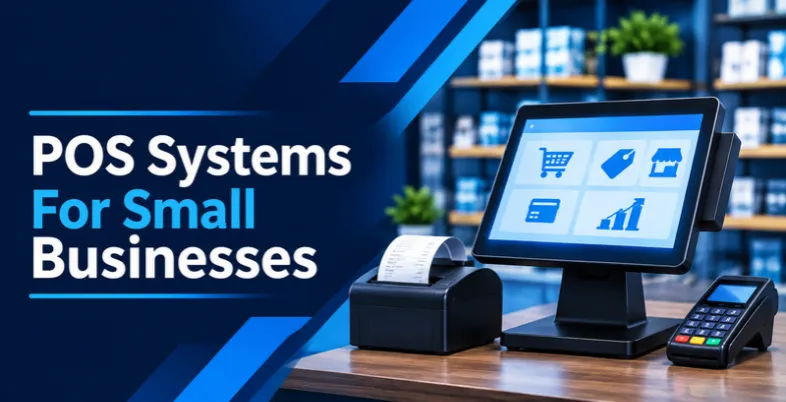
A Point-of-Sale (POS) system is a combination of hardware and software that allows businesses to process customer payments and manage sales operations from a centralized platform. It is the technology businesses use when customers purchase products or services, whether at a physical checkout counter or through mobile and online channels. However, modern POS systems offer much more than basic payment processing.
For small businesses, a POS system can simplify several time-consuming activities. Instead of manually recording transactions, updating stock registers, or calculating daily revenue, business owners can automate these tasks through POS software. For example, when a customer purchases a product, the system automatically records the transaction and updates the available inventory. It can also generate sales reports to help owners understand which products perform well.
Features To Look For In A POS System For Small Businesses
Not every POS system offers the same capabilities, and choosing one simply because it has a low subscription price may not be the best decision. Small businesses should look for software that addresses their everyday operational challenges while leaving room for future growth. The right combination of features can help reduce manual work, improve payment processing, and provide better control over business activities. Here are some essential features to consider when evaluating a POS system:
1. Payment Processing: A good POS system should support multiple payment methods, including credit cards, debit cards, digital wallets, and contactless payments. For Indian businesses, UPI compatibility is also an important consideration.
2. Inventory Management: Look for a solution that automatically updates stock levels after every transaction. Features such as low-stock alerts, barcode scanning, and purchase order management can make inventory tracking easier.
3. Sales Reporting and Analytics: Sales reports also help business owners understand revenue patterns, monitor business performance, and maintain accurate financial records. This information can be used alongside accounting software to track income, review expenses, and simplify financial management.
4. Customer Relationship Management (CRM): CRM features help businesses store customer details, track purchases, manage loyalty programmes, and create personalized offers. A dedicated CRM platform or membership management software can further help manage customer relationships, member records, and renewals.
5. Employee Management: Employee management tools help business owners assign roles, monitor working hours, track individual sales performance, and manage staff access to sensitive business information.
6. Multi-Channel Integration: If you sell through physical stores, websites, and online marketplaces, choose a POS system that synchronizes orders and inventory across different sales channels.
7. Ease of Use and Customer Support: A simple interface reduces employee training time and makes everyday operations easier. Reliable customer support is equally important when technical issues interrupt business activities.
Different Types Of POS Systems For Small Businesses
Understanding the available POS system types can help you choose software that fits your business operations, payment requirements, and budget.
Here are some common types of POS systems small businesses can consider:
1. Traditional POS Systems: These systems use dedicated computer terminals, cash drawers, barcode scanners, and receipt printers to process transactions. They are commonly used in retail stores and businesses that operate from fixed checkout counters.
2. Cloud-Based POS Systems: Cloud POS software stores business information online, allowing owners to access sales reports, inventory records, and customer information from different devices. These systems are useful for businesses that want flexibility and centralized management.
3. Mobile POS Systems: Mobile POS solutions allow businesses to process payments through smartphones and tablets. They are particularly helpful for small retailers, food trucks, delivery businesses, and service providers that accept payments outside traditional checkout counters.
4. Retail POS Systems: Designed specifically for retail stores, these platforms offer inventory tracking, barcode scanning, product management, customer loyalty programs, and sales reporting.
5. Restaurant POS Systems: Restaurant-focused POS solutions help manage table reservations, customer orders, kitchen operations, menu updates, billing, and online food ordering. They can also support multiple payment methods and split billing.
6. Self-Service Kiosk POS Systems: These systems allow customers to place orders and complete payments independently through touchscreen displays. They are commonly used in quick-service restaurants, cafes, and high-traffic retail environments.
7. Multichannel POS Systems: These platforms connect physical stores with online shops and other selling channels. They help businesses synchronize inventory, customer information, and orders from a centralized dashboard.
Comparison Table Of Best POS Systems For Small Business
| Best For | Key Features | Starting Pricing |
| Small businesses, retail stores, and service providers | Payment processing, inventory tracking, sales reporting, customer loyalty, employee management | Free plan; Paid plans start at $49/month |
| Retail stores, restaurants, and service businesses | Payment processing, inventory management, employee scheduling, invoicing, app integrations | Custom pricing |
| Retailers and omnichannel businesses | Online and in-store sales synchronization, inventory management, mobile checkout, customer profiles | 3-day free trial; ₹20/month for 3 months |
| Retail stores and growing businesses | Advanced inventory management, multi-location support, analytics, customer loyalty, e-commerce integration | $89/month |
| Retailers and inventory-focused businesses | Barcode scanning, real-time inventory tracking, CRM, purchase orders, multi-location management | $59/store |
| Restaurants, cafes, and retail businesses | Order management, employee scheduling, inventory tracking, kiosks, delivery management | Custom pricing |
| Specialty retailers and multi-location stores | Inventory tracking, barcode management, employee monitoring, e-commerce integrations, API access | $59/month per terminal |
| Independent sellers and small businesses | Contactless payments, transaction reporting, basic inventory management, card readers, PayPal integration | Free monthly plan |
| Restaurants, cafes, and food trucks | Menu management, online ordering, inventory tracking, employee scheduling, sales analytics | Free Starter Kit; Paid POS starts at $69/month |
| Restaurants, cafes, and bars | Table management, tableside ordering, menu management, floor planning, kitchen display integration | $69/month |
List Of Top 10 Best POS Systems for Small Businesses
1. Square POS

Website:https://squareup.com/us/en/point-of-sale/software/pricing
Square POS is a user-friendly point-of-sale solution designed for small businesses, retailers, restaurants, and service providers. It helps businesses manage daily transactions, accept multiple payment methods, and monitor sales from a centralized platform. Its easy-to-use interface makes it suitable for startups and businesses that want to simplify their checkout operations without investing heavily in POS software.
Square also provides tools for inventory tracking, customer management, employee management, and sales reporting. Businesses can use its mobile POS capabilities to accept payments from different locations. Additionally, Square offers customer loyalty features and integrations that help businesses improve customer relationships and streamline daily operations.
Key Features:
- Accepts credit cards, debit cards, and contactless payments.
- Provides real-time sales tracking and reporting.
- Offers inventory and stock management tools.
- Supports customer loyalty programs and gift cards.
- Includes employee management and sales monitoring.
Pros:
- Easy to set up and use.
- Offers a free basic POS plan.
- Provides useful inventory management features.
- Supports multiple payment methods.
Cons:
- Payment processing fees can increase operational costs.
- Advanced features require paid plans.
- Offline functionality has certain limitations.
- Availability and payment processing support vary by country.
Pricing:
- Square Free: $0/month per location
- Square Plus: $49/month per location
- Square Premium: $149/month per location
- Square Pro: Custom pricing (for businesses processing over $250,000 annually).
2. Clover POS
Website: https://www.clover.com/pricing?
Clover POS is an all-in-one solution among the leading POS systems for small businesses, designed for retail stores, restaurants, and service-based companies. It combines payment processing hardware with business management software to simplify everyday operations. Businesses can use Clover to accept payments, manage employees, monitor inventory, and generate sales reports from a single platform. Its customizable applications allow businesses to extend functionality according to their operational requirements.
Clover also supports invoicing, customer engagement, gift cards, and loyalty programs. Another advantage is its integration marketplace, which provides access to third-party applications for accounting, marketing, and business management. Its range of hardware options makes it suitable for businesses with different checkout requirements.
Key Features:
- Supports in-person, online, and contactless payments.
- Provides employee scheduling and management tools.
- Offers inventory tracking and sales reporting.
- Includes invoicing, gift cards, and customer loyalty features.
- Supports third-party applications and integrations.
Pros:
- Offers flexible hardware options.
- Provides a large app marketplace.
- Combines payments and business management.
- Includes useful employee management tools.
Cons:
- Hardware can be expensive.
- Pricing varies depending on the provider and plan.
- Some applications require additional charges.
- Payment processing options may be limited by provider agreements.
Pricing:
- Custom pricing
3. Shopify POS
Website: https://www.shopify.com/in/pos/pricing
Shopify POS is a point-of-sale solution designed primarily for retail businesses that sell products through physical stores and online channels. It connects in-person sales with an online Shopify store, allowing businesses to manage inventory, orders, and customer information from one platform. Small businesses can use it to process payments, track product availability, manage customer profiles, and monitor sales performance.
Its centralized inventory system helps retailers maintain consistent stock information across multiple sales channels. Shopify POS also supports mobile checkout, making it easier for employees to assist customers and complete transactions anywhere in a store. It is particularly useful for businesses looking to build an omnichannel retail experience.
Key Features:
- Synchronizes online and in-store inventory.
- Supports mobile and in-person checkout.
- Provides centralized order management.
- Offers customer profiles and purchase history.
- Integrates with Shopify’s e-commerce platform.
Pros:
- Excellent for omnichannel retail businesses.
- Easy to manage online and offline sales.
- Provides centralized inventory tracking.
- Offers useful customer management features.
Cons:
- Advanced POS features require additional subscriptions.
- Hardware costs can increase initial investment.
- Transaction fees may apply depending on the payment setup.
- Some features are limited by plan and country.
Pricing:
- Free Trial: 3 days free.
- Promotional Offer: ₹20/month for the next 3 months.
4. Lightspeed POS
Website: https://www.lightspeedhq.com/pos/retail/pricing/
Lightspeed POS is a cloud-based point-of-sale platform developed for retail stores, restaurants, and other customer-focused businesses. It helps small businesses manage sales, inventory, customer information, and employee activities through a centralized system. The platform offers advanced inventory management capabilities, making it useful for businesses handling large product catalogs or multiple locations.
Retailers can monitor stock levels, organize product variations, and track purchasing activities. Lightspeed also provides customer loyalty tools that help businesses encourage repeat purchases and strengthen customer relationships. Its reporting and analytics features offer insights into sales performance and business operations. Overall, it is a suitable option for small and growing businesses that need more than basic transaction processing.
Key Features:
- Provides advanced inventory and product management.
- Supports multi-location business operations.
- Offers customer loyalty and relationship management.
- Generates detailed sales and performance reports.
- Supports integrated payment processing and e-commerce.
Pros:
- Offers powerful inventory management.
- Provides detailed reporting and analytics.
- Supports multiple business locations.
- Includes customer engagement features.
Cons:
- Pricing can be expensive for small businesses.
- Advanced features may require higher-tier plans.
- New users may experience a learning curve.
- Some integrations and services involve additional costs.
Pricing:
- Basic: $89/month
- Core: $149/month
- Plus: $289/month
5. Erply POS
Website: https://erply.com/
Erply POS is a cloud-based point-of-sale and inventory management platform that makes it one of the useful POS systems for small businesses, particularly retailers and growing companies. It helps companies manage sales transactions, track inventory, organize customer information, and monitor business performance through a centralized dashboard. The platform offers features such as barcode scanning, purchase order management, customer relationship management, and multi-location inventory tracking.
Businesses can use its reporting tools to understand sales patterns and make better purchasing decisions. Erply also provides mobile capabilities and API access, allowing companies to connect the POS platform with other business applications. Its inventory-focused functionality makes it particularly useful for small retailers that want greater visibility into their stock levels and daily operations.
Key Features:
- Provides real-time inventory management.
- Supports barcode scanning and product tracking.
- Includes CRM and customer management tools.
- Offers multi-location stock management.
- Supports API access and third-party integrations.
Pros:
- Strong inventory management capabilities.
- Supports multiple store locations.
- Offers useful CRM functionality.
- Provides integration and API options.
Cons:
- The interface may take time to learn.
- Pricing can increase with additional features.
- Initial configuration may require assistance.
- Some advanced capabilities require higher-tier plans.
Pricing:
- Giftshop & Grocery Chain: $59/store
- Multichannel Chains: $199/store
- POS for NetSuite: Starting at $1,800
- Franchise & Chain: Starting at $3,500
6. Revel Systems POS
Website: https://support.revelsystems.com
Revel Systems POS is a cloud-based point-of-sale platform developed for restaurants, cafes, quick-service businesses, and retail operations. It combines transaction processing with business management tools to help companies manage their daily activities more efficiently. Businesses can use the platform for order management, inventory tracking, employee scheduling, and sales reporting.
It also supports features such as self-service kiosks, mobile ordering, and delivery management, making it useful for restaurants handling multiple ordering channels. Its centralized dashboard provides visibility into business performance and operational activities. Revel Systems is particularly suitable for hospitality businesses that require advanced functionality, multi-location management, and flexible ordering options to support business growth.
Key Features:
- Supports restaurant and retail payment processing.
- Provides inventory and employee management.
- Offers kiosk and mobile ordering capabilities.
- Supports delivery and online order management.
- Includes multi-location management and reporting.
Pros:
- Offers comprehensive restaurant management tools.
- Supports multiple ordering channels.
- Provides detailed business reporting.
- Suitable for multi-location operations.
Cons:
- Can be expensive for small businesses.
- May require professional setup and training.
- Advanced features can increase overall costs.
- Hardware requirements may involve additional investment.
Pricing:
- Custom pricing
7. KORONA POS

Website: https://koronapos.com/pricing/
KORONA POS is a cloud-based point-of-sale platform designed for retail businesses, specialty stores, ticketing companies, and other small and medium-sized enterprises. It provides tools to manage transactions, track inventory, monitor employee performance, and analyze sales activities. The platform is particularly useful for businesses that need detailed stock management and operational reporting. It supports features such as automated inventory tracking, barcode management, customer relationship management, and multi-location operations.
KORONA POS also offers e-commerce integrations and API access, allowing businesses to connect their POS operations with other software applications. Its subscription-based approach and lack of mandatory payment processing contracts make it an option for businesses seeking greater flexibility in choosing payment processors.
Key Features:
- Provides inventory and stock management.
- Supports barcode scanning and product tracking.
- Offers employee performance monitoring.
- Includes e-commerce integrations and API access.
- Supports multi-location business management.
Pros:
- Does not charge additional POS transaction fees.
- Offers flexible payment processor options.
- Provides advanced inventory management.
- Supports multiple business locations.
Cons:
- Monthly subscription costs can be high.
- Payment processing fees still apply through processors.
- Some features require additional configuration.
- The interface may take time for new users to understand.
Pricing:
- KORONA POS Core: $59/month per terminal
- KORONA POS Retail: $79/month per terminal
- KORONA POS Plus: $99/month per terminal
8. PayPal POS

Website: https://www.paypal.com/us/business/pos-system/pricing
PayPal POS is a point-of-sale solution included among POS systems for small businesses, helping retailers, independent sellers, service providers, and other businesses accept in-person payments and manage everyday sales transactions. It is designed for businesses that need a straightforward payment processing system.
The platform supports card payments and contactless transactions through compatible hardware, making checkout more convenient for customers. Businesses can also access transaction information, monitor sales performance, and manage basic inventory activities. Its connection with the broader PayPal ecosystem makes it useful for businesses that already use PayPal for online payments. With no standard monthly software subscription for its basic offering in supported markets, PayPal POS can be an attractive option for businesses looking to manage payment acceptance without a large recurring software expense.
Key Features:
- Supports in-person card and contactless payments.
- Integrates with the PayPal payment ecosystem.
- Provides sales tracking and transaction reports.
- Offers basic inventory management tools.
- Supports compatible card readers and payment hardware.
Pros:
- No standard monthly fee for the basic POS offering.
- Easy to use for basic payment processing.
- Integrates with PayPal services.
- Suitable for small businesses and independent sellers.
Cons:
- Card processing fees apply to transactions.
- Advanced inventory features are limited.
- Hardware purchases may increase initial costs.
- Availability and functionality vary by country.
Pricing:
- Monthly Subscription: $0 (No monthly or setup fees)
- Card Reader: $29 for the first reader; $79 for each additional reader.
- Terminal: $199 (Terminal only).
- Terminal with Barcode Scanner: $239.
9. Toast POS

Website: https://pos.toasttab.com/pricing?
Toast POS is a cloud-based point-of-sale solution designed primarily for restaurants, cafes, food trucks, and other foodservice businesses. It helps small businesses manage daily operations, process customer payments, track inventory, and monitor sales performance through a centralized platform. Restaurants can use Toast to manage orders, customize menus, coordinate kitchen operations, and improve customer service.
The platform also supports online ordering, delivery management, employee scheduling, and customer engagement tools. Its integrated reporting features provide insights into revenue, labor costs, and product performance, helping business owners make informed operational decisions. Toast POS also offers flexible hardware and software packages, making it suitable for restaurants with different operational requirements. It is particularly useful for businesses looking to manage dine-in, takeaway, and online orders from one system.
Key Features:
- Supports in-person, online, and contactless payment processing.
- Provides real-time sales reporting and business analytics.
- Offers inventory and menu management tools.
- Includes employee scheduling and labor management.
- Supports online ordering, delivery, and customer loyalty programs.
Pros:
- Offers restaurant-specific management features.
- Provides integrated payment processing.
- Supports multiple ordering and sales channels.
- Includes useful sales and performance reporting.
- Offers flexible hardware and software packages.
Cons:
- Advanced features may require additional charges.
- Hardware costs can increase initial investment.
- Payment processing fees apply to transactions.
- Some features are available only with specific plans.
Pricing:
- Starter Kit: Starting at $0/month.
- Point of Sale: Starting at $69/month.
- Build Your Own: Custom pricing.
10. TouchBistro POS
Website: https://www.touchbistro.com/pricing/
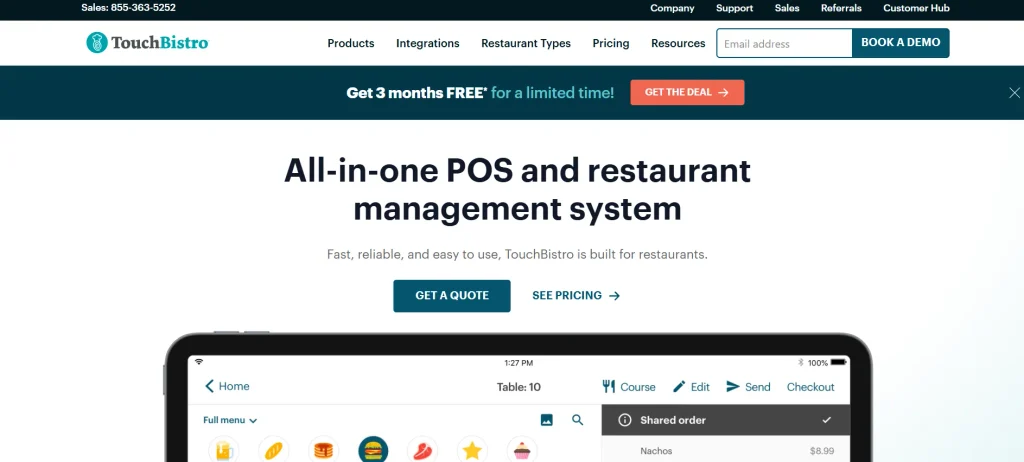
TouchBistro POS is a restaurant-focused point-of-sale solution designed for cafes, bars, quick-service restaurants, and full-service dining establishments. It helps small businesses manage orders, process payments, organize menus, and monitor daily restaurant operations through a centralized platform. The software includes tools for table management, floor planning, employee management, and sales reporting, allowing restaurant owners to coordinate their front-of-house activities more efficiently.
Its tableside ordering functionality enables staff to take customer orders directly at their tables, helping reduce waiting times and improve service accuracy. TouchBistro also offers additional solutions for inventory management, kitchen display systems, online ordering, reservations, and customer loyalty programs. Its restaurant-specific functionality makes it a suitable choice for businesses looking to simplify operations and improve the overall dining experience.
Key Features:
- Provides menu management and table reservation tools.
- Supports tableside ordering and payment processing.
- Offers real-time sales reporting and analytics.
- Includes employee and floor plan management.
- Supports inventory management and kitchen display integrations.
Pros:
- Specifically designed for restaurant businesses.
- Offers easy-to-use menu and table management tools.
- Provides 24/7 customer support.
- Supports offline functionality with compatible hardware.
- Offers useful reporting and analytics features.
Cons:
- Hardware requires additional investment in the basic plan.
- Advanced features may involve additional charges.
- Initial setup may require professional assistance.
- Not suitable for businesses outside the foodservice industry.
Pricing:
- Point of Sale: Starting at $69/month.
- Essentials Bundle: Starting at $119/month.
- Custom Setup: Custom pricing.
How Does A POS System Help Small Businesses Improve Daily Operations?
Managing a small business becomes challenging when sales transactions, inventory records, customer information, and employee activities are handled separately. A POS system brings these activities together, helping business owners maintain better control over their operations. Instead of spending hours updating spreadsheets or checking physical stock registers, they can use automated tools to access important business information in one place.
Here are some ways a POS system can improve everyday business operations:
1. Reduces Manual Work and Human Errors
A POS system automatically records sales transactions, calculates totals, applies discounts, and generates receipts. This reduces the need for manual calculations and minimizes common billing mistakes. Employees can complete transactions more efficiently while business owners maintain accurate sales records.
2. Helps Prevent Inventory Shortages
Running out of popular products can affect customer satisfaction and sales. POS software tracks stock movements whenever a product is purchased or returned. Some systems also provide low-stock notifications, helping businesses reorder products before inventory runs out.
3. Improves Cash Flow Visibility
Understanding how much money a business earns and spends is essential for managing daily finances. POS reporting tools provide information about sales revenue, payment methods, refunds, and transaction history. Business owners can use these insights to monitor revenue patterns and make informed financial decisions.
4. Strengthens Customer Relationships
Modern POS platforms can store customer contact details, purchase histories, and preferences. Businesses can use this information to offer personalized discounts, reward repeat customers, and introduce loyalty programs that encourage customers to return.
5. Makes Employee Management Easier
Business owners can assign employee accounts, manage access permissions, monitor working hours, and review individual sales performance. This improves accountability and makes it easier to manage staff responsibilities.
6. Supports Business Growth
As a business expands, managing multiple locations, increasing product catalogs, and handling more transactions can become complicated. A scalable POS system helps centralize these activities and provides reports that support better planning.
How To Choose The Best POS System For Your Small Business
Choosing a POS system isn’t just about finding software that processes payments. You need a solution that fits your business operations, supports your employees, and helps you manage everyday activities without adding unnecessary costs. With so many POS providers offering different features and pricing plans, comparing your options can take time. The easiest approach is to evaluate your business requirements step by step before making a final decision.
Step 1. Identify Your Business Requirements
Start by understanding what you actually need from a POS system. Are you managing a retail store, restaurant, cafe, grocery shop, or service-based business? Each business has different operational requirements. For example, a retail store may need barcode scanning and inventory tracking, whereas a restaurant may require table management, kitchen order processing, and split billing. Make a list of the activities you want to simplify and prioritize the features that will directly support your daily operations.
Step 2. Compare Pricing and Payment Processing Fees
Once you understand your requirements, compare the pricing structures of different POS providers. Some platforms offer free basic plans, while others charge monthly or annual subscription fees. However, don’t focus only on the software cost. Check additional expenses, including payment processing fees, hardware purchases, installation, maintenance, and premium integrations. If you operate in India, also verify UPI support, GST billing capabilities, and compatibility with Indian payment gateways. Choose a pricing plan that fits your budget without compromising essential functionality.
Step 3. Check Essential Features and Integrations
The next step is to evaluate the features included in each POS platform. Look for essential tools such as inventory management, sales reporting, employee management, customer profiles, and multiple payment options. If you sell products through both physical and online stores, check whether the software can synchronize inventory and orders across different channels. Also, consider integrations with accounting, e-commerce, CRM, and marketing applications. Selecting a POS system that connects with your existing business tools can reduce repetitive work and improve overall efficiency.
Step 4. Evaluate Hardware Compatibility
POS software is only one part of the setup. Depending on your business requirements, you may also need hardware such as touchscreen terminals, barcode scanners, receipt printers, cash drawers, and card readers. Before purchasing anything, check whether the POS provider supports your preferred devices. Some providers offer complete hardware bundles, while others allow businesses to use compatible third-party equipment. If you operate a small shop or provide mobile services, a smartphone or tablet-based POS system may be a more affordable and practical option.
Step 5. Consider Ease of Use and Employee Training
A feature-rich POS system is not necessarily the best choice if your employees find it difficult to operate. Look for software with a simple interface, clear navigation, and an easy checkout process. Ideally, employees should be able to add products, apply discounts, process payments, and generate receipts without going through complicated steps. Check whether the provider offers tutorials, onboarding assistance, and training resources. A user-friendly system can reduce training time, prevent operational mistakes, and help employees serve customers more efficiently.
Step 6. Check Security and Data Protection
Your POS system may store important business information, including transaction records, customer details, and payment-related data. Therefore, security should be an important part of your selection process. Look for features such as data encryption, secure user authentication, role-based access controls, and regular data backups. If the system processes card payments, check its relevant payment security and PCI DSS compliance arrangements. You should also understand how the provider handles customer information and protects business records from unauthorized access.
Step 7. Evaluate Customer Support and Reliability
Imagine your POS system stops working during busy business hours. Without reliable assistance, even a small technical issue can interrupt sales and affect customer satisfaction. Before choosing a provider, check its customer support availability and the channels through which you can contact the support team, such as phone, email, or live chat. Also, look for user reviews to understand how the provider handles technical issues, software updates, and service interruptions. Reliable support can make a significant difference, particularly for small businesses without dedicated IT staff.
Step 8. Test the Software Before Making a Final Decision
Finally, take advantage of free trials, product demonstrations, or test environments whenever available. Testing the software helps you understand how it performs in real business situations. Try adding products, processing sample transactions, checking inventory updates, and generating sales reports. You can also ask employees to explore the interface and share their feedback. Compare your shortlisted options based on usability, performance, features, and overall costs. Once you’re confident that a system meets your requirements, you can select a suitable plan and begin setting it up for your business.
Conclusion
Choosing the right POS systems for small businesses can make a significant difference in how efficiently daily operations are managed.From processing customer payments and tracking inventory to managing employees and analyzing sales performance, a reliable POS solution brings essential business activities together in one place. However, the best option depends on your business type, budget, operational requirements, and future growth plans.
Platforms such as Square POS, Shopify POS, Clover, Lightspeed, and Erply offer different capabilities to support various business needs. Before making a decision, compare their pricing, payment processing options, integrations, hardware compatibility, and customer support. Take advantage of free trials or product demonstrations to understand how each platform works. Ultimately, investing in the right POS system can help you reduce manual work, improve customer experiences, and manage your business more confidently.
Frequently Asked Questions
1. What Is The Best POS System For A Small Business?
Square POS, Shopify POS, Clover, and Lightspeed are popular options, but the best choice depends on your business requirements and budget.
2. How Much Does A POS System Cost For A Small Business?
A POS system can range from free basic software to several thousand rupees per month, depending on its features, hardware, and payment processing fees.
3. Can A POS System Work Without An Internet Connection?
Yes, some POS systems offer offline functionality, allowing businesses to process certain transactions and synchronize data when the internet connection returns.
4. What Features Should A Small Business Look For In A POS System?
Important features include payment processing, inventory management, sales reporting, customer management, employee tracking, and integration capabilities.
5. Is A POS System Suitable For Startups And Small Retailers?
Yes, POS systems help startups and small retailers manage transactions, track inventory, monitor sales, and streamline everyday business operations.